Home Assistant vs SmartThings (2026): Which Should Run Your Smart Home?
Home Assistant vs SmartThings (2026): Which Should Run Your Smart Home?
Disclosure: this guide contains no affiliate links — we earn no commission if you buy. We’d rather you know exactly where we stand.
The short version
Pick SmartThings if you want your smart home working by tonight. Pick Home Assistant if you want it working on your terms — locally, privately, with no company in the middle — and you’re willing to spend a weekend earning that. One is an app that just works; the other is a platform you own. And in 2026, the choice got sharper: Samsung started charging third-party integrations $4.99 a month for API access, so the old “run both” middle ground now has a toll booth on it.
That’s the one-paragraph answer, and it’s held up for years. What changed is the fine print. Home Assistant kept growing — its founder told The Verge it now runs in an estimated 2.7 million homes — and its October 2026 update added plain-language automation triggers and a one-click AI server. SmartThings became the fastest-moving Matter platform in the business, shipping Matter 1.5 camera support weeks after the standard landed. Samsung’s API paywall is the shadow over that progress: app users pay nothing, but anyone bridging SmartThings into another system now pays rent.
So this isn’t a specs comparison. It’s a personality test. Below: where each one wins, what each one honestly costs in 2026 (one of those numbers moved a lot), where each stands on Matter and Thread, and a decision tree for picking yours.
Key Takeaways
- Ease of use: SmartThings, clearly. App-guided setup, no extra hardware for Wi-Fi and cloud devices, works on the phone you already have. Home Assistant’s 2026 releases narrowed the gap — automations are increasingly plain-language — but it still asks for a weekend where SmartThings asks for an evening.
- Privacy and local control: Home Assistant, no contest. Everything runs on your network; no cloud account required. SmartThings needs a Samsung account and still leans on the cloud, though its Edge drivers now run many automations locally on the hub.
- Cost in 2026: the headline moved. Home Assistant Green’s recommended price is now $199 (Nabu Casa raised it twice in early 2026 as memory prices climbed — it used to be $99). SmartThings Station is typically around $60; the Aeotec hub runs roughly $120–150. Both platforms’ software is free.
- Matter: both are full Matter controllers. SmartThings had the fastest version velocity in 2026 — first to support Matter 1.5 cameras. Home Assistant handles Matter fine but its Thread story needs an add-on radio.
- The 2026 twist: Samsung’s API paywall. From October 2026, third-party integrations using the SmartThings API — including Home Assistant’s official SmartThings integration — need Samsung’s $4.99/month personal plan. App-only users are unaffected.
- Scale check: Home Assistant runs in an estimated 2.7 million homes (founder Paulus Schoutsen, via The Verge); Samsung says SmartThings has more than 460 million registered users. Very different definitions of “user” — read it as ecosystem gravity, not a scoreboard.
Is Home Assistant better than SmartThings for beginners?
No. If you’re new to smart homes, SmartThings is the better starting point, and it isn’t close.
Here’s what a SmartThings evening looks like: install the app, sign in with a Samsung account, tap “add device,” and follow the pictures. Wi-Fi bulbs, plugs, and cloud-connected gadgets pair without any hub at all. You only buy hardware — the SmartThings Station, typically around $60 — if you own Zigbee or Z-Wave devices that need a radio. There’s no server to maintain, no updates to babysit, no forum threads to decode at midnight. Our hub guide walks through exactly when a hub is and isn’t required.
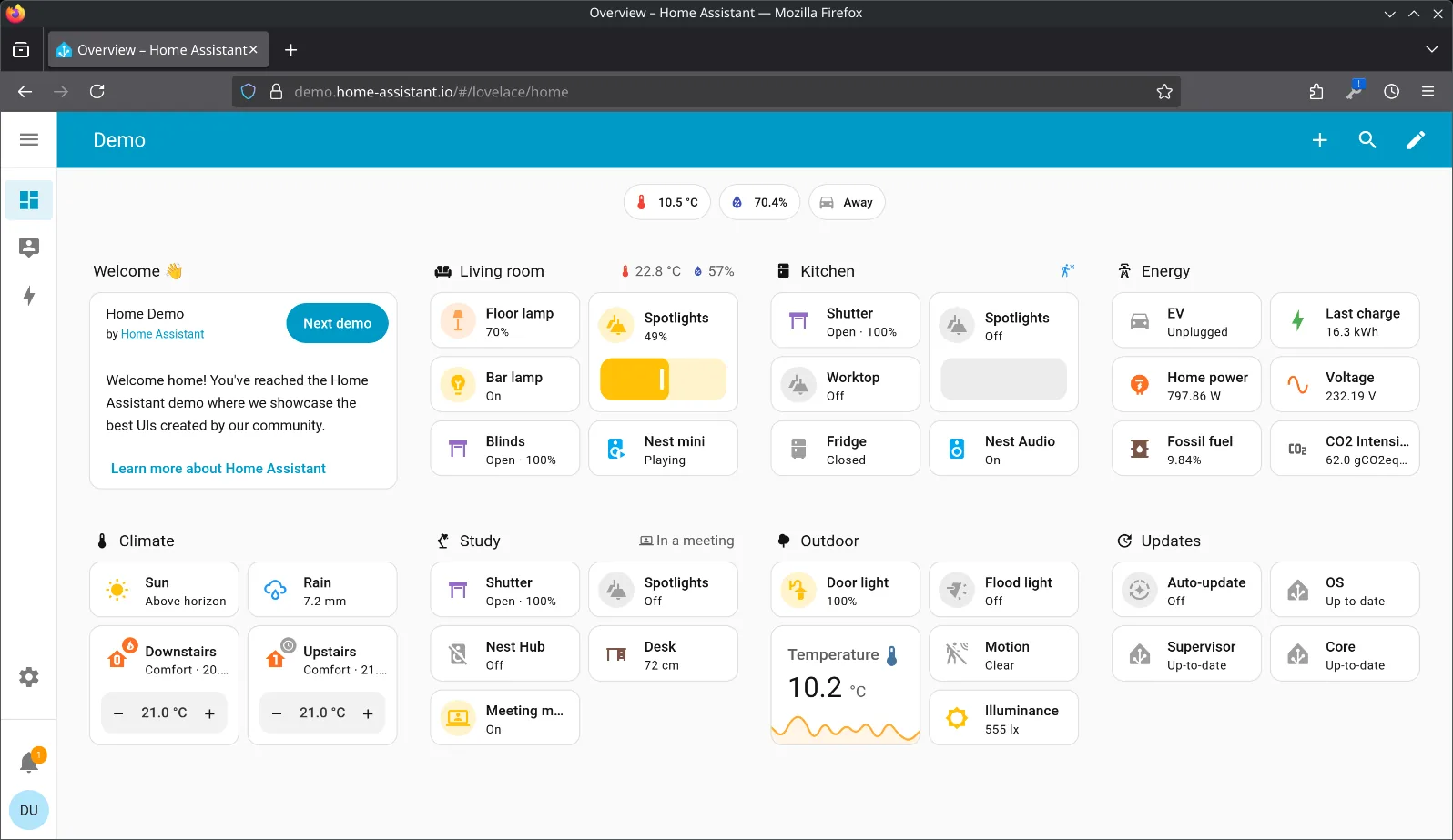
Home Assistant asks more of you up front. The easy path is Home Assistant Green: a $199 plug-and-play box from Nabu Casa with the software preinstalled — plug in power and Ethernet, open a browser, and the onboarding wizard auto-discovers devices on your network. The learning curve starts after that: building automations, designing dashboards, choosing from 1,500-plus integrations. The 2026 releases have been chipping at this — automations can now use plain-language triggers like “when the front door opens” — but the platform still assumes you’re willing to tinker.
Founder Paulus Schoutsen put the project’s direction in one line to The Verge: “We’re looking to lower the floor without lowering the ceiling.” That tells you everything: the ceiling was never the problem. The floor — the first weekend — is the price of admission, and for a beginner who just wants the hallway light to turn on at sunset, SmartThings charges far less of it.
Does SmartThings still run your home from the cloud?
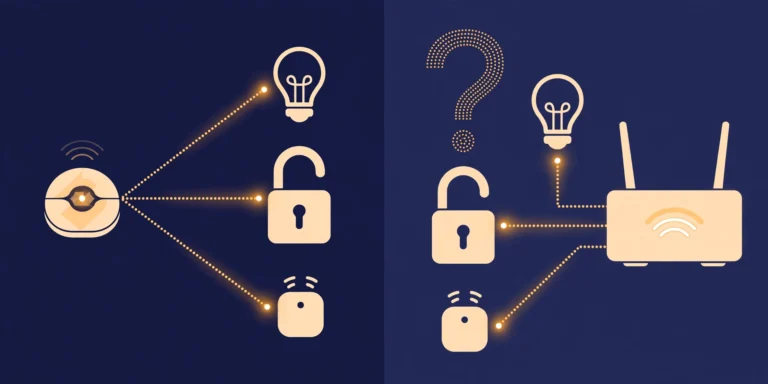
Less than it used to — but the cloud is still in the loop, and that’s the fundamental split between these two platforms.
SmartThings has genuinely improved here. Its Edge drivers run automations locally on the hub, so a motion sensor triggering a Zigbee bulb keeps working when your broadband drops. But SmartThings still requires a Samsung account, setup and voice control still travel through Samsung’s servers, and cloud-connected devices are cloud-connected by definition. An internet outage degrades a SmartThings home; it doesn’t kill it outright anymore, but you’ll feel it.
Home Assistant is local by design. Automations execute on the box in your house, device data stays on your network, and no cloud account is required to run anything. Internet down? The lights still follow their schedules, the sensors still log, the dashboard still loads on your local network. Nabu Casa rates the Green’s power draw at about 1.7 watts idle — the always-on box costs you less in electricity than the router it’s plugged into.
On privacy, the same split applies. Home Assistant’s nonprofit steward, the Open Home Foundation, exists precisely so the platform can’t be acquired, sunset, or turned into an ad surface — and the project passed 21,000 contributors on GitHub, making it one of the largest open-source projects in the world. SmartThings is a Samsung product: your devices, routines, and usage patterns live inside a Samsung account, governed by Samsung’s privacy policy. Neither approach is a scandal; they’re just different deals. One sells you hardware, the other gives you software and keeps your data.
Which one works with more of your devices?
Closer than you’d think — and in 2026, the answer depends on which devices you mean.
SmartThings covers the mainstream catalog brilliantly. Thousands of devices carry Works With SmartThings certification, the Aeotec hub speaks Zigbee and Z-Wave alongside Matter and Thread, and Samsung’s own appliances — TVs, fridges, washers — slot into the app natively. That’s a genuine moat. Add its Matter 1.5 camera support — SmartThings was first, with hub firmware landing within weeks of the standard’s November 2025 release — and the breadth is hard to argue with. As SmartThings chief Jaeyeon Jung put it: “Samsung aims to ensure that products and services built on different brands and protocols deliver a unified experience through SmartThings.”
Home Assistant covers the mainstream catalog too — it’s a full Matter controller with 1,500-plus integrations — and then keeps going into territory SmartThings never touches: ESPHome DIY sensors, Tuya devices flashed with local firmware, oddball AliExpress gadgets, solar inverters, weather stations, the decade-old Z-Wave lock you refuse to replace. Where SmartThings curates, Home Assistant absorbs. If your house is full of normal, current, brand-name devices, you’ll never feel a difference. If it’s full of weird ones, there’s no comparison.
One practical note: both platforms now speak Matter, which means a growing share of new devices — see our best Matter devices for 2026 — work with either one regardless of which platform you choose. Matter quietly defused the lock-in question that used to decide this debate.
For climate sensing, see the Aqara T1 climate sensor review.
How much does each one actually cost?
The honest math, with 2026 prices — because one of these numbers changed while nobody was looking.
SmartThings: the app is free, forever. You can run a whole home of Wi-Fi and cloud devices without spending a cent on the platform itself. If you need radios, the SmartThings Station is typically around $60 — it’s a Thread border router, Zigbee hub, and Matter controller that doubles as a wireless phone charger — or the Aeotec Smart Home Hub at roughly $120–150 if you need Z-Wave for older locks and switches. That’s it. No subscription, no tiers, no feature paywalls for app users.
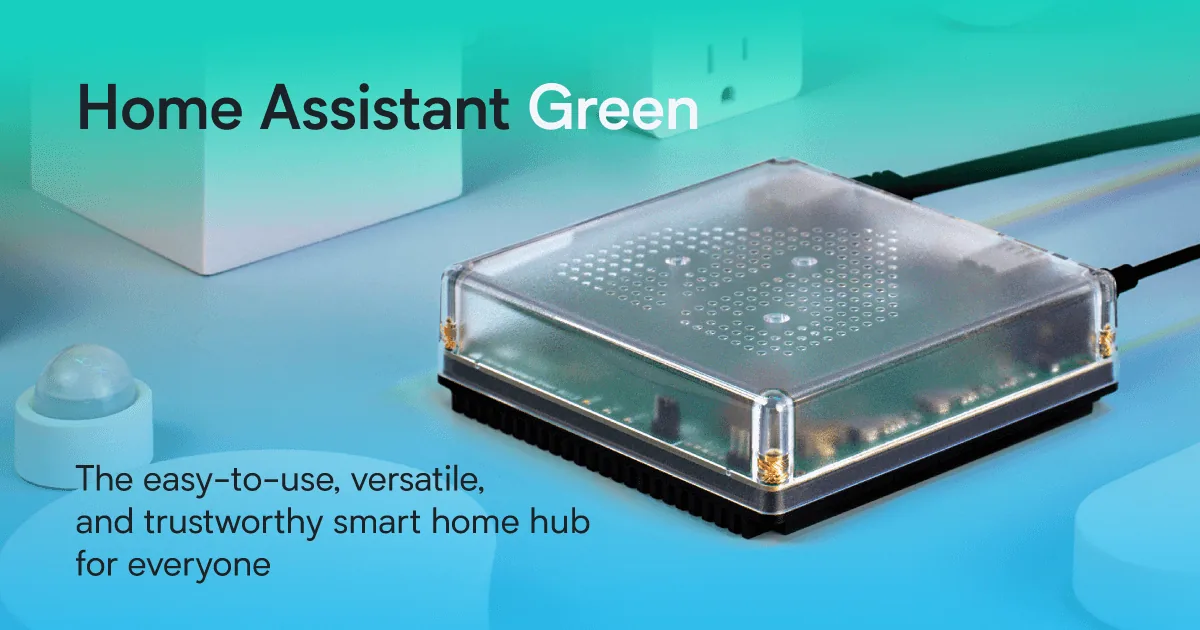
Home Assistant: the software is free, the hardware isn’t. Home Assistant Green — the official plug-and-play box — now carries a recommended price of $199 (or €179), after Nabu Casa raised it twice in early 2026 because memory prices nearly doubled the cost of building it. The old “$99 Green” advice you’ll find in older guides is out of date. If you want Zigbee or Thread devices on a Green, add the Connect ZBT-2 radio at around €45, since the Green has no built-in radio. The DIY route — a Raspberry Pi or old mini PC — used to be the cheap option, but RAM-driven price spikes pushed a top-spec Raspberry Pi 5 as high as $299.99, so buying used or repurposing hardware you own is the only way that path still saves money.
Two optional extras on the HA side: the Home Assistant Cloud subscription (being renamed Home Assistant Link in the December 2026 release) smooths out Alexa/Google voice integration and remote access, and everything else is free. On the SmartThings side, the new line item is Samsung’s API pricing: from October 2026, third-party tools that talk to SmartThings through its API — dashboards, rental-management software, and Home Assistant’s own SmartThings integration — need a $4.99/month personal plan. App-only users never touch this.
Then there’s the cost nobody puts in a table: your time. Home Assistant makes you the installer, the administrator, and the support desk — updates to apply, automations to debug, the occasional breaking change to read about before you click update. SmartThings outsources all of that to Samsung. Budget accordingly.
Where does each stand on Matter and Thread in 2026?
Both are Matter controllers. The difference is velocity and Thread.
SmartThings is currently the Matter pace-setter among consumer platforms. When the Connectivity Standards Alliance released Matter 1.5 in November 2025 — adding cameras as a native device type — Samsung announced support that December and had hub firmware rolling out within weeks, ahead of every rival. The SmartThings Station and Aeotec hubs are Thread border routers out of the box, and Tom’s Guide rated the Station 8.2, calling it the best Matter hub for most households. If you want new Matter device categories to work on day one, SmartThings is the safer bet right now.
Home Assistant’s Matter support is solid, but Thread is the DIY part: it runs through the Connect ZBT-2 radio (the same €45 stick that handles Zigbee), and Nabu Casa notes Thread support on the Green is still under development. It works — it’s just one more thing you assemble yourself. If you’d rather not think about radios, read our do-you-need-a-hub explainer first.
The full comparison
| Home Assistant | SmartThings | |
|---|---|---|
| Ease of use | Plug-and-play Green box, but automations and dashboards take learning | App-guided setup; most users are running in an evening |
| Local control | Everything local by design; works fully offline | Edge drivers run hub automations locally, but account and cloud still in the loop |
| Privacy | No cloud account; data stays on your network; nonprofit-governed | Samsung account required; usage data lives in Samsung’s cloud |
| Upfront cost | Green $199 MSRP + ~€45 Zigbee/Thread radio; software free | App free; Station ~$60; Aeotec hub ~$120–150 |
| Ongoing cost | Free; optional Cloud/Link subscription for easy voice + remote access | Free for app users; $4.99/mo API plan from Oct 2026 for third-party integrations |
| Matter support | Full Matter controller; Thread via add-on radio (still maturing) | Full Matter controller; fastest version updates; first with Matter 1.5 cameras |
| Device breadth | 1,500+ integrations; absorbs obscure, DIY, and legacy devices | Thousands of certified devices + deep Samsung appliance/TV integration |
| Best for | Tinkerers, privacy-first households, mixed-brand device collectors | Beginners, renters, Samsung households, anyone who wants it to just work |
Verdict: which should you choose?
Run this decision tree and you’ll land in the right place:
- You’re new, renting, or deep in Samsung gear (Galaxy phone, Samsung TV, Samsung appliances) → SmartThings. Grab a Station if you have Zigbee devices, skip the hub entirely if everything you own is Wi-Fi. You’ll be automated before dinner. See our no-subscription hub picks for how it stacks up.
- You care about privacy, own devices from a dozen brands, or enjoy the project itself → Home Assistant. Buy the Green, add the Zigbee/Thread radio if you need it, and budget a weekend for the first setup. The ceiling is unlimited: no company can change the terms on hardware you control.
- You started on SmartThings and hit its ceiling → the old advice was “bridge it into Home Assistant and run both.” In 2026 that bridge costs $4.99/month in Samsung API fees, so the cleaner path is migrating Zigbee and Z-Wave devices directly onto Home Assistant’s own radios and retiring the SmartThings hub. More work once, no rent forever.
The uncomfortable truth neither camp likes: there’s no “better” here, only a better fit. SmartThings is the best platform for people who don’t want a smart home hobby. Home Assistant is the best one for people who do — and in 2026, with Samsung putting a meter on its API, owning your platform outright looks wiser than it did a year ago.
For window coverings, see motorized shades that close themselves.
Halloween scenes and automations work on either platform.
Frequently asked questions
Is Home Assistant hard to set up for a beginner?
Easier than its reputation, harder than SmartThings. Home Assistant Green is genuinely plug-and-play, and the 2026 releases added plain-language automation triggers and one-click device discovery. The hard part isn’t installation anymore; it’s the weeks after, when you’re designing dashboards and debugging automations. Budget a weekend, not an evening.
Does SmartThings need a hub in 2026?
Not necessarily. Wi-Fi devices, cloud-to-cloud integrations, and Matter-over-Wi-Fi devices all work with just the free SmartThings app. You need a hub — the SmartThings Station (~$60) or the Aeotec Smart Home Hub (~$120–150) — only for Zigbee or Z-Wave devices. Some Samsung TVs and appliances also have hub functionality built in.
Can Home Assistant and SmartThings work together?
Yes — Home Assistant has an official SmartThings integration that pulls your SmartThings devices into its dashboards and automations. But since October 2026, Samsung charges $4.99/month for the API access that integration relies on. If you’re planning a combined setup, factor that subscription into the math, or migrate devices directly to Home Assistant’s own Zigbee/Z-Wave radios instead.
Which is better for privacy — Home Assistant or SmartThings?
Home Assistant, by a wide margin. It runs entirely on your local network with no cloud account, and it’s governed by a nonprofit foundation that exists to keep it independent. SmartThings requires a Samsung account, and your devices, routines, and usage data pass through Samsung’s cloud — though its Edge drivers do keep many automations running locally on the hub.
Does Home Assistant work with Alexa and Google Home?
Yes. The smoothest route is the optional Home Assistant Cloud subscription — being renamed Home Assistant Link in the December 2026 release — which handles voice assistant integration and remote access without router configuration. Manual setups are possible for both Alexa and Google if you’d rather not pay.
Which is cheaper long-term?
SmartThings is cheaper to start (free app, ~$60 hub if you need one) and Home Assistant is cheaper to own outright (free software, $199 box, no platform rent). The 2026 wrinkle is Samsung’s $4.99/month API plan: it only affects third-party integrations, not app users, but it’s the first recurring charge in SmartThings’ ecosystem — and a reminder that “free platform” and “platform you control” are different things.
Sources
- Home Assistant Green — official product page and $199/€179 MSRP: home-assistant.io/green
- Nabu Casa on the 2026 Green price changes: nabucasa.com
- Home Assistant’s SmartThings integration and the October 2026 API change warning: home-assistant.io/integrations/smartthings
- Schoutsen on 2.7M homes and the “lower the floor” push; Cloud renamed to Link: tbreak.com
- What’s new in Home Assistant 2026.10: sillectus.com
- Green vs Yellow 2026, ZBT-2 radio pricing, Yellow discontinued Oct 2025: raspberry.tips
- Home Assistant at 21,000+ contributors and 2M installations: makeuseof.com
- The real cost of Home Assistant hardware in 2026 (Pi price spikes, Green power draw): windowsforum.com
- Samsung first to support Matter 1.5 cameras: webpronews.com
- Samsung’s SmartThings API announcement (paid tiers from Oct 2026): SmartThings community
- SmartThings API fees and Home Assistant impact: androidheadlines.com and hackaday.com
- API pricing details, 460M registered users: techmymoney.com
- SmartThings Station as best Matter hub (Tom’s Guide 8.2); Thread border router notes: smarthomeexplorer.com
- SmartThings Station $59.99: samsung.com
- Aeotec hub pricing and V3/V4 protocol differences: techwench.com
- SmartThings app ratings and no-subscription details: alarm-reviews.net
- Station as the $59.99 Matter/Thread budget pick: primetechadvisor.com


4 Comments