
Halloween Smart Home Ideas: 9 Ways Your Existing Gear Becomes a Haunted House (2026)
You don’t need a single new decoration to win Halloween. The smart home gear sitting in your house right now — the color bulbs in the lamps, the video doorbell by the front step, the speaker in the kitchen — is a haunted house waiting to happen. The trick is that almost nobody uses any of it this way, which is exactly why the effect lands so hard: trick-or-treaters expect plastic skeletons. They do not expect the porch lights to die, the doorbell to cackle, and something to howl from inside the bushes.
Here’s the uncomfortable truth most Halloween guides won’t tell you: lighting does roughly 80% of the work, and everything else is garnish. A house bathed in flickering orange with a witch-cackle doorbell beats a house with forty store-bought decorations and plain white porch lights, every single time. So this guide is ordered by impact. Do the first two sections and you’re done; do all nine and your street will be talking about your house until Thanksgiving.
Key Takeaways
- Your color smart bulbs are the whole show. Orange-and-purple scenes plus a flicker or candle effect turn an ordinary house into a haunted one in about five minutes of app time.
- Video doorbells ship with Halloween built in. Ring’s seasonal chime tones (howl, witch cackle, creaking door) and spooky Quick Replies, plus Nest’s Halloween doorbell theme, are free and take seconds to enable.
- Voice assistants already know it’s Halloween. “Alexa, let’s get spooky” and “Hey Google, get spooky” unlock sound effects, and both platforms have dedicated Halloween skills and games.
- Motion sensors are your jump-scare crew. One sensor aimed at the walkway, firing red lights and a scream from a hidden speaker, is the single most effective trick in this guide.
- Skip strobes and check your plugs. Strobe effects are genuinely dangerous for photosensitive neighbors, and outdoor inflatables need outdoor-rated smart plugs — the two safety rules most guides forget.
Disclosure: This article currently contains no affiliate links — it’s a seasonal guide written for the fun of it, not commissions. If that changes, we’ll say so.

1. Start with the lights — they do 80% of the work
Forget everything else for a minute. Walk outside your house at night and look at it the way a ten-year-old trick-or-treater would. What makes a house look haunted isn’t the decorations — it’s the light. Warm white porch bulbs say “welcome.” Orange, purple, and blood red say “enter if you dare.” This is the cheapest, fastest transformation in the entire guide, and it uses bulbs you probably already own.
The formula is dead simple: orange and purple, dimmed to about 40–60%, with a flicker or candle effect running. Every major smart-bulb app has scene presets for exactly this. Philips Hue’s app has Halloween scenes baked in; Govee’s app has dozens of seasonal scenes plus an AI lighting bot (now on version 2.0) that will generate one from a text prompt like “haunted mansion.” LIFX, Nanoleaf, and the budget brands all have equivalents. If your bulbs support effects, look for “flicker,” “candle,” or “fireplace” — a slow flicker reads as candlelight and is ten times spookier than a static color.
One pro tip from the unlikeliest of sources: actress Sarah Michelle Gellar — yes, Buffy herself — is fronting Govee’s 2026 “Turn Up the Spooky” Halloween campaign, and her advice is the best lighting tip in this article: “Instead of covering every inch of the exterior in light, choose one architectural or landscape feature to be the focus, such as the roofline, a tree, or the front facade. Leaving some areas darker will make the lit areas feel more dramatic.” Contrast is what makes lighting dramatic; a house where every inch glows orange just looks like a pumpkin exploded. Leave shadows. Shadows are free, and they’re the scariest thing you own.
If your bulbs are still plain white, Halloween is honestly the best excuse to finally buy color ones. Our renter-friendly smart bulb picks need no hub and screw straight into existing sockets, and the bulb-vs-switch breakdown will settle the “which one” question in about four minutes.
2. Give your doorbell a Halloween voice
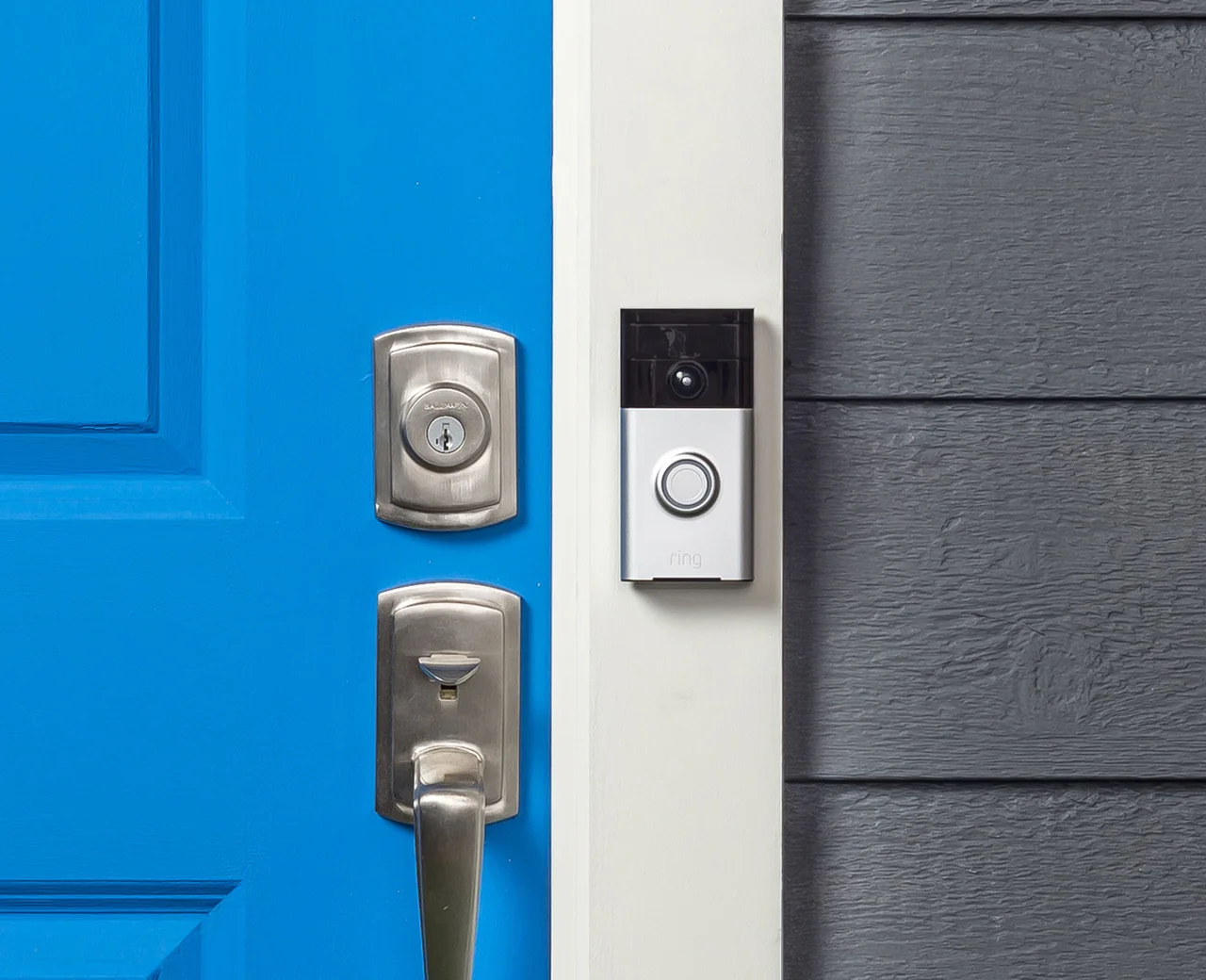
Your video doorbell is the one device every single trick-or-treater interacts with. It’s also the one most people never customize. That’s a wasted opportunity sitting right on your front step.
Ring owners: every October, Ring rolls out seasonal Halloween chime tones for Ring Chime and Chime Pro — past lineups have included Howl, Bats, Ghost, Scream, Spooky Organs, Witch Cackle, Creepy Laugh, Screeching Cat, and Creaking Door. Open the Ring app, go to Devices, pick your Chime, tap Audio Settings, then Chime Tones, and grab your favorite. While you’re in there, check Quick Replies: Ring’s spooky seasonal greetings (things like “Ghostly Greetings”) let the doorbell answer for you with a cackle when you’re out trick-or-treating with your own kids.
Nest owners: open the Google Home app, select your doorbell, and look for Doorbell Theme — there’s a Halloween theme that swaps the standard chime for seasonal sounds. Vivint owners got a 2026-dated lineup on the company blog: Halloween chimes (Spooky Laugh, Witch Laugh, Howl at the Moon, Scary Organ, Creepy Bells, Trick or Treat!) run October 16 through November 2.
No subscription needed for any of this, by the way. If you’ve been wondering what your doorbell can do without paying monthly, our Ring-without-subscription guide and the best no-subscription doorbells have the full picture — and the eufy S4 remains the pick if you’re buying new and hate monthly fees.
3. Put the yard on a timer (the right way)
Inflatables, fog machines, string lights, the twelve-foot skeleton with the glowing eyes — Halloween yards run on electricity, and electricity on Halloween runs on chaos. Nobody wants to be the person trudging outside at 6 PM to plug things in and again at 10 PM to unplug them. That’s what smart plugs are for.
The move: put every outdoor decoration on a smart plug, then set a sunset-to-10 PM schedule in the plug’s app (or in Alexa/Google Home routines). Sunset triggers are better than fixed times because sunset slides earlier through October — your display is always on at exactly the right moment, and it shuts itself off before you’re asleep. Group the plugs so one tap — or one voice command — kills the whole yard.
Two rules, both non-negotiable. First: outdoor-rated plugs only. Indoor smart plugs have no weather sealing; October rain plus an indoor plug is a fire risk, not a decoration. Look for IP44 or better, or put indoor plugs inside a weatherproof outlet box. Second: respect the wattage. A single smart plug usually handles 10–15 amps — one inflatable plus one fog machine is fine, but daisy-chaining your entire display through one plug is how you trip breakers mid-haunt. Spread the load across two or three plugs.
4. Motion sensors are your jump-scare crew
This is the single most effective trick in the guide, and it costs nothing if you already own a motion sensor. Aim one at the walkway or the porch steps, and build this automation: motion detected after dark → porch and path lights snap to red at full brightness → a hidden smart speaker plays a scream.
The key word is hidden. A speaker sitting in plain sight playing spooky sounds is a decoration. A speaker tucked inside a bush or behind a planter, firing a scream the instant someone steps onto the path, is a core memory for a nine-year-old. Pair it with the light snap — a sudden change from dim orange to full red is what makes people actually jump. In Alexa, build this as a Routine with a motion-sensor trigger; in Google Home, use a Household Routine with a starter device; in HomeKit, it’s a one-line automation in the Home app.
Keep the volume reasonable and the scare window tight (say, 5–9 PM on Halloween night itself). A jump scare at 6 PM is hilarious. The same jump scare at 11 PM is a noise complaint. Which brings us to the section most guides skip — but first, the yard.
5. Light the yard, not just the porch
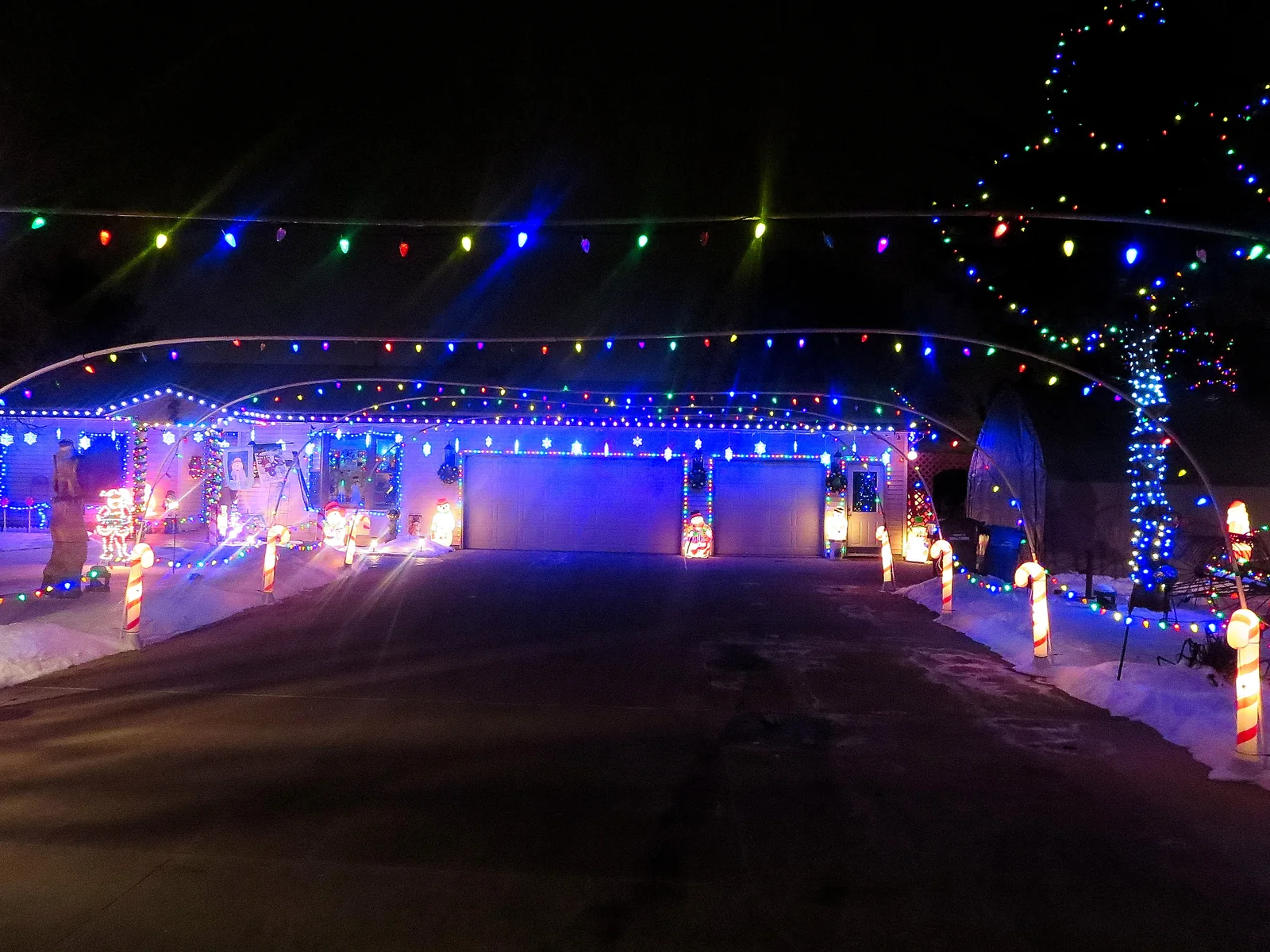
Porch lights get all the attention, but the yard is where the atmosphere lives. Smart floodlights and path lights let you paint the whole property: uplight the big tree in purple, wash the fence line in orange, drop the walkway to a dim red. Layered lighting — roofline, mid-level, ground level — is what separates “house with orange bulbs” from “haunted house.”
This is also the year permanent outdoor lights went mainstream for Halloween. Govee’s permanent roofline lights — the ones that stay up year-round and switch from orange-and-purple in October to warm white in November to red-and-green in December via the app — are the whole pitch behind their big 2026 Halloween campaign. The Permanent Outdoor Lights 2 (150 feet, 16 million colors, IP67) were down to $320 on Amazon in early September from a $490 list price, and the newer C9 string lights hit $95 in early October. Prices move around, so check current pricing — but the concept is sound: buy once, haunt every October, then flip to Christmas mode without touching a ladder.
6. Let the speakers do the haunting
Your smart speakers have been waiting all year for this. Both major platforms have Halloween features that most owners never discover:
- Alexa: say “Alexa, let’s get spooky” and she’ll walk you through Halloween options — scary stories, spooky sounds, Halloween music. For more, enable the Spooky Halloween Sounds skill (a rotating roster of creepy audio), or the Spooky Scream skill, which makes the speaker scream at a random moment — actually startling if guests don’t know it’s coming. (One caveat: Amazon’s Alexa+ rollout means some older Easter eggs behave differently on newer software, so test before the party.)
- Google: say “Hey Google, get spooky” and you’ll get an hour of spooky sound effects — plus, on some setups, your connected smart lights will flicker along with the audio. For the kids, “Hey Google, trick or treat” launches an interactive haunted-house story game with characters like Mr. Mummy and Count Dracula.
- Routines tie it together. Build a “haunt mode” routine: one command dims every light to orange, starts the spooky playlist, and fires the motion-sensor scares. Trigger it when the first trick-or-treaters arrive, kill it when the candy runs out.
7. The candy-bowl deterrent (a trick that actually works)
Every neighborhood has the kid who takes the whole bowl. Your video doorbell is the answer, and it’s more fun than it sounds. Leave the candy out with a small sign — “One each, the doorbell is watching” — and keep the live view open on your phone or a smart display. When someone grabs a fistful, hit the two-way talk button: “Put three back.” The look on their face is worth the price of the doorbell alone.
This works best with doorbells that have good two-way audio and no subscription paywall on live view — which is most of them, but check our no-subscription guides linked above if you’re not sure about yours. And keep it playful, not menacing: you’re the fun house, not the surveillance house.
8. Don’t be the house the neighbors complain about
Here’s the section most Halloween guides skip, and it’s the most important one if you want to do this again next year.
- No strobe effects. Ever. Rapid flashing lights can trigger seizures in people with photosensitive epilepsy — including trick-or-treaters you don’t know have the condition. Flicker and candle effects are fine; true strobing is not worth the risk. If a scene preset strobes, don’t use it.
- Mind the hours. Run the full haunted-house show during trick-or-treat hours (roughly 5–9 PM in most neighborhoods) and wind it down after. Automations with end times handle this automatically — that’s the whole point of the sunset-to-10 PM schedule from section 3.
- Keep the walkway safe. It’s tempting to kill every light for maximum spookiness, but trick-or-treaters are mostly small children navigating unfamiliar steps in the dark. Keep path lights dim but on — red at 20% is atmospheric and visible. Fog machines plus dark steps are how ankles get sprained.
- Warn, don’t ambush, the truly scary stuff. A hidden-speaker scream is great for teenagers. For toddlers, it’s actually terrifying. If your street skews young, keep the scares gentle until later in the evening — or put a small “spooky sounds ahead” sign at the walkway. The best haunted houses are the ones kids want to come back to.
9. Starting from zero? Buy these three things
If you own no smart-home gear at all and Halloween is your excuse to start, don’t overthink it. Three purchases cover everything in this guide:
| What | Why | What to look for |
|---|---|---|
| A 2-pack of color smart bulbs | The entire lighting section — orange, purple, flicker effects | Wi-Fi, no hub needed; 800+ lumens; app with scene presets |
| An outdoor smart plug | Sunset schedules for inflatables, string lights, fog machines | Outdoor-rated (IP44+); 10A+; sunset trigger in the app |
| A smart speaker | Spooky sounds, “let’s get spooky,” the hidden-scare trick | Whichever assistant you already use on your phone |
That’s it. Two bulbs, one plug, one speaker — under $100 total if you shop the October sales — and your house is the one kids remember. Next year, add the doorbell. The year after, the roofline lights. Halloween is a gateway drug to the smart home; consider yourself warned.
FAQs
Can Alexa do Halloween decorations?
Yes — say “Alexa, let’s get spooky” for Halloween sounds, stories, and music, or enable the Spooky Halloween Sounds skill for a rotating creepy soundtrack. Better yet, build an Alexa Routine: one command can dim your smart bulbs to orange, start spooky audio on your speakers, and arm motion-sensor jump scares.
How do I make my Ring doorbell play Halloween sounds?
Open the Ring app → Devices → select your Chime → Audio Settings → Chime Tones, and pick from the seasonal Halloween lineup (past years have included Howl, Witch Cackle, Creepy Laugh, Screeching Cat, and Creaking Door). Ring releases these seasonally each October, so check the list — and look at Quick Replies for spooky seasonal greetings like “Ghostly Greetings.”
What color should smart lights be for Halloween?
Orange and purple, dimmed to 40–60%, with a flicker or candle effect. That’s the whole formula. Add blood red as an accent for jump-scare moments. And light one feature — a tree, the roofline, the facade — while leaving the rest dark; contrast is what makes it dramatic.
Can I put a smart plug on a timer for Halloween inflatables?
Yes — and use a sunset-to-10 PM schedule rather than fixed times so it tracks the earlier October sunsets automatically. But only use outdoor-rated smart plugs (IP44 or better) for anything outside, and don’t overload a single plug: spread big inflatables and fog machines across two or three plugs to avoid tripping breakers.
Sources
- Vivint — Halloween Chimes on the Doorbell Camera Pro (Oct 16–Nov 2, 2026 availability): https://www.vivint.com/resources/article/halloween-chimes-with-the-doorbell-camera-pro
- Tom’s Guide — How to make your Ring Video Doorbell sound spooky this Halloween (chime list + setup steps): https://www.tomsguide.com/how-to/how-to-make-your-ring-video-doorbell-sound-spooky-this-halloween
- Digital Trends — “Alexa, get scary” / “Hey Google, haunt my house” routines: https://www.digitaltrends.com/home/how-to-program-your-smart-hub-to-scare-the-pants-off-of-you/
- Digital Trends — Alexa and Google Assistant Halloween skills (“let’s get spooky”): https://www.digitaltrends.com/home/best-amazon-alexa-and-google-assistant-halloween-skills/
- TechRadar — 5 ways smart home devices make Halloween spookier (Alexa skills, routines): https://www.techradar.com/home/smart-home/5-ways-your-smart-home-devices-can-make-your-halloween-party-extra-spooky-this-year
- Analytics Insight — Alexa Halloween commands: Spooky Scream, Ghost Detector (Oct 2026): https://www.analyticsinsight.net/technology/alexa-tricks-and-secret-commands-to-try



5 Comments