Do You Need a Smart Home Hub in 2026?
Five years ago, every smart home starter guide opened the same way: buy a hub. A little plastic box. Another thing to plug in, another app to install, another sixty to a hundred and fifty dollars standing between you and a light bulb that turns on when you walk into a room.
In 2026, that advice is half dead. The hub didn’t disappear — it moved. It’s inside your speaker now, or your TV, or the streaming box under it. And if everything you own talks Wi-Fi, you never needed the box in the first place.
But “half dead” is doing a lot of work in that sentence. Plenty of homes still genuinely need a hub, and getting the answer wrong in either direction costs real money — an unnecessary box gathering dust, or a weekend lost wondering why your sensors won’t connect. Here’s how to get it right the first time.
Key Takeaways
- A hub does three jobs: it speaks your devices’ radio language (Zigbee, Z-Wave, Thread), it runs automations locally, and it connects everything to your phone and voice assistant. If something you already own covers all three, you don’t need a separate box.
- The most common “hub” in 2026 is a device you bought for another reason — a HomePod mini, an Echo, a Nest Hub, an Apple TV 4K. Check your shelves before you check out.
- You almost certainly DON’T need a hub if your devices run on Wi-Fi or Matter-over-Wi-Fi, or if you already own a Thread border router for your Thread gear.
- You DO still need one if you run Zigbee devices (Hue, Aqara, IKEA’s older kit), Z-Wave devices, or you want automations that keep working when the internet goes down.
- When in doubt, buy the devices first and the hub last. The box is the final purchase, not the first — buy it only when something refuses to connect without it.
Disclosure: This is a straight explainer — no affiliate links, no sponsored picks. Nobody paid to be mentioned here.
What a smart home hub actually does
Strip away the marketing and a hub has always done exactly three jobs. Understanding them is the whole trick, because in 2026 each job can be done by something that was never sold as a hub.
- Translator. Your phone speaks Wi-Fi and Bluetooth. A Zigbee sensor doesn’t. A Z-Wave lock doesn’t. A Thread bulb doesn’t. The hub speaks the device’s language and translates it into something the rest of your network understands.
- Local brain. “When the front door opens after sunset, turn on the porch light” — somebody has to notice the door, check the time, and fire the command. A hub runs that logic inside your house instead of sending it on a round trip to a data center.
- Bridge. It connects your devices to your phone app, your voice assistant, and the internet beyond — so you can check the lock from the office or yell at the lights from the couch.
That’s the complete job description. Every hub ever sold — from the original SmartThings to today’s multi-protocol boxes — is some combination of translator, local brain, and bridge. Keep those three jobs in mind; they’re the lens for everything below.
For energy tracking, see best home energy monitor.
The 2026 plot twist: the hub moved into your speaker
Here’s what changed. The translator job used to require a dedicated box because phones and routers didn’t speak Zigbee, Z-Wave, or Thread. Then the big platforms started baking those radios into things people were buying anyway.
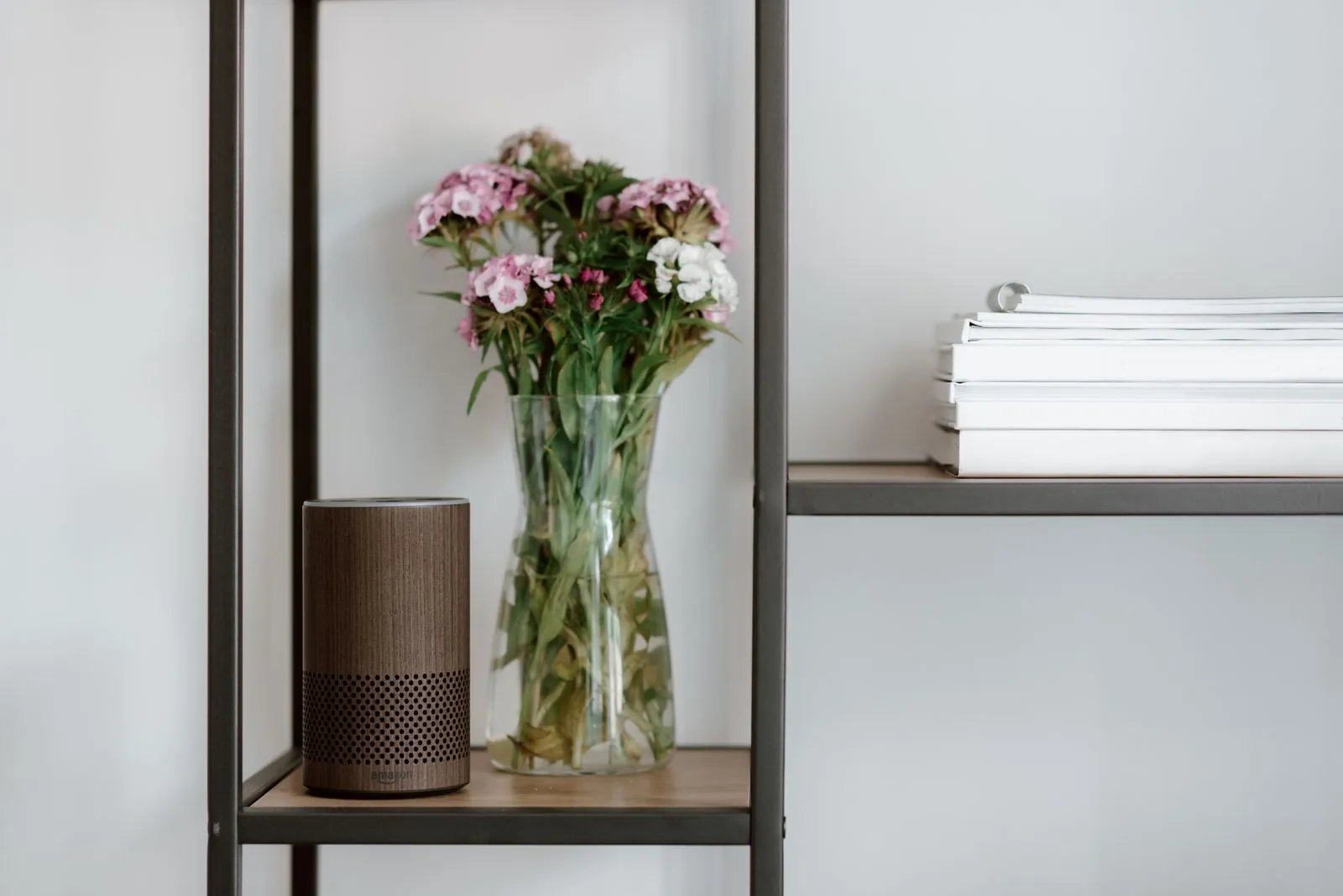
Today, a shocking amount of ordinary hardware doubles as a Thread border router — the piece that connects Thread’s low-power mesh to your home network. The list includes the HomePod mini, the HomePod (2nd gen), the Apple TV 4K (2021 model, plus the 2022 Wi-Fi + Ethernet model), the Nest Hub (2nd gen), the Nest Hub Max, the Nest Wifi Pro, the Google TV Streamer, the 4th-gen Echo, the Echo Dot Max, the Echo Hub, and a long tail of Echo Show models. Samsung’s SmartThings Station does it. So does the Aeotec Smart Home Hub, the Aqara Hub M3, and most eero routers.
Meanwhile, nearly every recent Echo, Nest speaker or display, Apple TV, HomePod, and SmartThings hub works as a Matter controller — the thing Matter-over-Wi-Fi devices need to join your home. The distinction matters: a Matter controller handles Wi-Fi devices, a Thread border router handles Thread devices, and many boxes do both jobs at once. Confusing the two is how people end up buying hardware they didn’t need.
If Matter is your entire world, our Matter-specific deep dive goes further than this page. What follows is the broader picture — every protocol, every kind of household.
You probably DON’T need a hub if…
- Everything you own connects over Wi-Fi. Smart plugs, most cameras, video doorbells, robot vacuums, and plenty of bulbs talk straight to your router. No translator required — your Wi-Fi network is the hub. Spend the hub money on a better router instead.
- Your devices are Matter-over-Wi-Fi. These need a Matter controller, not a hub, and you almost certainly have one: any recent Echo, Nest speaker or display, Apple TV, or HomePod qualifies. Adding a separate box buys you nothing.
- You already own a Thread border router. Check the list above against your shelves. A HomePod mini in the living room or a Nest Hub on the kitchen counter is already doing the translator job for Thread sensors, locks, and bulbs. Matter-over-Thread gear — which increasingly means new sensors and locks — just works.
- You’re starting from scratch with Matter gear. Buy one controller-class device (a $99 speaker, a streaming box you wanted anyway), not a hub. Build outward from there and add hardware only when a specific device demands it.
- Your setup is tiny. Four bulbs and a smart plug do not constitute an infrastructure problem. A hub here would be jewelry — pretty on the shelf, doing nothing.
You DO still need one if…
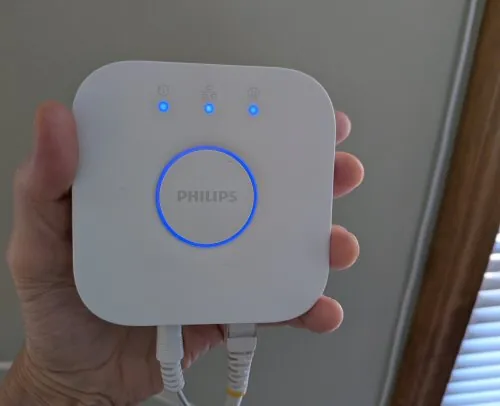
- You run Philips Hue beyond the basics. The Hue Bridge (around $60) remains the way to get the full Hue experience — scenes, accessories, rock-solid Zigbee mesh — and it now bridges your Hue gear into Matter for other platforms too. One caveat: Hue bulbs made since September 2025 also speak Matter over Thread, so they can join through a border router with no Bridge at all — except gradient effects, which still need the Bridge and the Hue app.
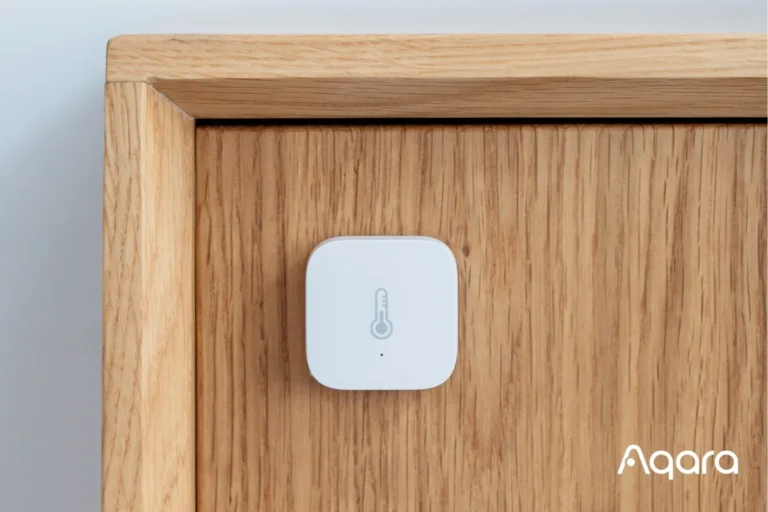
- You have Aqara or IKEA Zigbee gear. Aqara’s FP400 presence sensor, launched in September 2026, is the perfect illustration of the split: use it over Thread and no Aqara hub is needed; use it over Zigbee and the hub is mandatory. Same story at IKEA — the 21 new Matter products rolling out from January 2026 work without the Dirigera hub, but your older TRÅDFRI Zigbee bulbs still need Dirigera acting as a Matter bridge.
- You have Z-Wave devices. This is the one getting harder, not easier. The Aeotec Smart Home Hub 2 — the current flagship SmartThings hub at around $120 — dropped Z-Wave entirely, and so did the SmartThings Station. The older Z-Wave-capable Aeotec hub is being phased out at the end of 2026. If Z-Wave matters to you, the realistic 2026 answers are Hubitat or Home Assistant with a Z-Wave adapter — decide that before you buy anything else.
- You want the house to keep working when the broadband dies. Cloud automations stop the moment your internet does. Local-first hubs keep the logic inside your walls — the Aeotec Smart Home Hub 2 was explicitly designed for local control, and Home Assistant is the enthusiast gold standard for the same reason. If “the lights still work during an outage” matters to you, that’s a hub purchase.
- You’re running 30+ devices and want one brain. Nothing about a big deployment requires a hub in 2026, but one coordinator with real range, real memory, and one app beats five brand apps and a prayer. This is a reliability purchase, and it’s a legitimate one.
For room-by-room climate data, see per-room temperature and humidity sensing.
Three hubless setups that actually work
1. The Wi-Fi + Matter controller setup
The simplest smart home in 2026: Wi-Fi plugs and bulbs, Matter-over-Wi-Fi where available, and one Echo, Nest, or HomePod you already own acting as the Matter controller. Your phone commissions new devices by scanning a QR code. No box, no extra app, nothing to plug in besides the devices themselves. This covers the overwhelming majority of beginner setups — and honestly, most intermediate ones too.
2. The “speaker is the hub” Thread setup
Add Thread sensors, a Thread lock, or Thread bulbs to the setup above, and let the border router hiding in your speaker do the translating. A HomePod mini on a bookshelf quietly runs the Thread mesh for the whole floor; an Echo Dot Max does the same job plus Zigbee. Check which border router you already own before buying anything — most people discover they’ve had one for years. Our guide to smart locks without Wi-Fi walks through the Thread lock version of this setup.
3. The renter’s minimalist setup
Renting changes the math: nothing wired, nothing screwed in, everything leaves with you. Wi-Fi bulbs that need no hub at all are the entire strategy — screw them in, connect to the router, done. Our renter-friendly bulb guide is built around exactly this: zero hubs, zero holes in the wall.
For seasonal flair, these same hubless setups can run spooky smart lighting and automations.

Hub vs hubless: the honest comparison
| Dedicated hub | Hubless | |
|---|---|---|
| Upfront cost | $60–$150 for the box (Hue Bridge ~$60, Aqara M3 ~$120, Aeotec Hub 2 ~$120) | $0 — uses devices you already own |
| Zigbee devices | Yes — this is what hubs are for | Only via a Zigbee speaker (some Echo models) or not at all |
| Z-Wave devices | Yes — Hubitat, Home Assistant + adapter, or outgoing Aeotec V3 | No |
| Thread devices | Yes — most 2026 hubs are Thread border routers | Yes — if you own a border-router speaker, display, or TV box |
| Wi-Fi / Matter-over-Wi-Fi | Handled, but unnecessary | Yes — a Matter controller is enough |
| Works without internet | Yes, on local-first hubs | Mostly no — cloud automations stall |
| Setup effort | One more app, one more box to place | Nothing extra to install |
| Best for | Zigbee/Z-Wave households, outage-proofing, 30+ devices | Beginners, renters, Wi-Fi and Matter households |
The 60-second decision framework
Don’t overthink this. Grab a scrap of paper — or just do it in your head — and run these four steps in order.
- List what you own or plan to buy, with each device’s protocol. Wi-Fi? Zigbee? Z-Wave? Thread? Matter-over-which? The box or the product page tells you. This list is the entire decision.
- Check your shelves for free infrastructure. Any HomePod, recent Echo, Nest Hub or display, Apple TV 4K, or SmartThings gadget you already own is a Matter controller, a Thread border router, or both. Cross off every device on your list that one of these already covers.
- Match the leftovers. Remaining Zigbee gear points at a Zigbee hub (Hue Bridge for Hue, Aqara hub for Aqara, Dirigera for old IKEA). Remaining Z-Wave points at Hubitat or Home Assistant. Remaining Thread with no border router in the house points at the cheapest border-router speaker. Nothing remaining means no hub.
- Buy the devices first, the hub last. If step three left orphans, buy the specific hub those orphans need — not a “just in case” box. Hubs don’t get cheaper with age, but they do get more capable; buying late means buying better.
For a head-to-head platform choice, see Home Assistant vs SmartThings comparison.
FAQ
Is a Thread border router the same thing as a smart home hub?
No — a border router is one of the hub’s three jobs (the translator, for Thread specifically). A full hub also runs automations locally and bridges everything to your apps and voice assistants. Many 2026 devices do all three, which is why the terms get blurred, but “border router” alone doesn’t guarantee the other two jobs.
Do I need a hub for Alexa, Google Home, or Apple Home?
Not as a separate purchase. Each platform’s own hardware covers the controller and border-router roles: Echo devices for Alexa, Nest hardware for Google Home, HomePod and Apple TV for Apple Home. You need a controller device in the mix, but it’s probably the speaker you already own. Our Alexa vs Google Home vs HomeKit comparison breaks down which ecosystem fits which household in 2026.
Can I mix hub and hubless devices in one home?
Yes, and most real homes do. Wi-Fi plugs next to a Zigbee sensor network is completely normal — the Hue Bridge handles its bulbs, the border router in your speaker handles Thread gear, and your Wi-Fi devices talk to the router directly. Matter is what lets all of it appear in one app despite the different plumbing underneath.
Will Matter make my hub obsolete?
For Zigbee and Z-Wave gear, no — those radios aren’t going anywhere, and bridges like the Hue Bridge and IKEA’s Dirigera are actively gaining Matter support specifically to keep older devices relevant. What Matter killed is the need to buy a hub for new devices. Your existing hub gets a longer life, not a shorter one.
What’s the cheapest way to get a Thread border router?
Check your home first — it’s the most common surprise in smart homes. If you genuinely own nothing suitable, a HomePod mini or a Nest Hub (2nd gen), both around $99, is the cheapest clean entry, and both are useful devices in their own right rather than single-purpose boxes.
I’m renting. Do I need a hub?
Almost certainly not. Renters do best with Wi-Fi devices that need no hub and leave no trace — bulbs you can unscrew, plugs you can unplug. Start with our renter bulb guide and stop there until a specific device asks for more.
Sources
- SmartHomeGen (2026): Best Smart Home Hub 2026 — hub decision framework, Thread border router device lists, Zigbee/Z-Wave hub guidance
- Sensereo (2026): Best Matter Hub & Thread Border Router List (2026) — complete Matter controller and Thread border router device list with pricing
- Of Zen and Computing (September 2026): 8 Best Matter over Thread Smart Locks — Matter-over-Thread locks need a Thread border router, not a traditional hub
- BotMonster (2026): Do you need Wi-Fi 7 for Matter? — Matter-over-Wi-Fi devices need no hub, only a Matter controller
- HomeKit News (September 16, 2026): Aqara FP400 Matter Multi-Sensor Launches With Thread and Zigbee — Thread mode needs no Aqara hub; Zigbee mode requires one
- SmartHomeExplorer (2026): Aqara Hub M3 Tops 6 Thread Smart Home Picks 2026 — Aqara Hub M3 specs: Matter controller, Thread border router, Zigbee 3.0, ~$119–130
- PCWorld (September 5, 2025): The all-new Aeotec Smart Home Hub 2 abandons Z-Wave — Hub 2 specs: Matter, Zigbee 3.0, Thread border router, local-first, ~$120
- SamMobile (2025): Newest Samsung SmartThings Hub drops support for the Z-Wave standard — Aeotec V3 phase-out by end of 2026, final production run
- Tech and Trends (2026): WiFi vs Thread Smart Home: The Complete Guide for Your Apartment in 2026 — Thread mesh explainer, checking for existing border routers
- MakeUseOf (2026): What Matter and Thread actually mean for your smart home in 2026 — Matter controller vs Thread border router distinction
- MacRumors (June 17, 2026): Matter 1.6 Announced With NFC Setup, Cross-Ecosystem Device Sharing, and Smarter Thermostats — Matter 1.6 features and release date
- LocalSmartHomeGuide (2026): Philips Hue Bridge — Bridge pricing (~$56), Matter bridging; Hue lights from September 2025 support Matter over Thread without the Bridge (gradient features excepted)
- MacRumors (July 9, 2025): IKEA Goes All-In on Matter — 21 Matter products from January 2026 work without the Dirigera hub; Dirigera as Matter Controller, Bridge, and Thread Border Router
- 9to5Mac (November 6, 2025): IKEA launches 21 new smart home products, all Matter-compatible — Dirigera as bridge for earlier IKEA products
Still torn? Start hubless. You can always add the box later — but you can’t unspend the money. If you do decide you need one, start with the best hubs with no monthly fees.




7 Comments