
Why Does My Smart Lock Battery Drain So Fast? 9 Fixes That Work
You put fresh batteries in six weeks ago. Now the lock is beeping at you again — or worse, it’s dead and you’re standing outside with groceries. Search for answers and you’ll land on a brand support page telling you to “use approved batteries,” a locksmith blog from three years ago, and not much else. Nobody gives you the full picture: the nine things that actually kill smart lock batteries, in the order you should check them. Ring’s answer to this exact problem is a hand-cranked power dial on its first smart lock — details here.
Here’s that picture. A healthy smart lock runs 6 to 12 months on one set of batteries — that’s the normal range across most brands and models. If yours dies in weeks, something specific is wrong, and it’s almost always one of the nine causes below. Work through them in order. Most people find their culprit in the first three.
Key Takeaways
- Normal battery life is 6–12 months. Anything under 2–3 months means something is actively draining the lock — it’s not “just how smart locks are.”
- The top three culprits: wrong or mixed batteries, Wi-Fi working overtime on a weak signal, and an auto-lock timer set too aggressively.
- Wi-Fi is the hungriest radio. A lock on built-in Wi-Fi can last 3–6 months where the same lock on Bluetooth stretches toward 12 — and a weak signal makes it far worse.
- Cold weather punishes alkaline batteries. If the drain started with the first frost, switch to lithium before you do anything else.
- A rubbing deadbolt is a silent killer. If the bolt drags against the strike plate, the motor strains every single cycle — check alignment before buying anything.
Disclosure: This is a troubleshooting guide, not a sales pitch — it contains no affiliate links. If that changes, we’ll say so.

The 2-minute triage: find your culprit first
Before touching a single setting, answer three questions. They’ll point you straight at the right fix instead of making you try all nine.
- When did it start? Right after a battery change → it’s the batteries (Fix 1). With the first cold snap → it’s the weather (Fix 7). After moving the router or a new firmware update → signal or software (Fixes 2 and 6).
- How fast is “fast”? Dead in days points to a hardware fault or a severe short (Fix 9). Dead in 4–8 weeks points to Wi-Fi drain or a dragging deadbolt (Fixes 2 and 4). Lasting 3–4 months but you expected a year → settings and notifications (Fixes 3 and 5).
- Does the bolt sound strained? If locking sounds labored — a grinding or straining noise instead of a clean thunk — skip straight to Fix 4. Nothing else matters until the mechanics are right.
The nine causes, at a glance
| Cause | Typical symptom | The fix |
|---|---|---|
| Wrong or mixed batteries | Drain starts right after a battery change; false low-battery warnings | Fresh name-brand alkalines or lithium; never mix old and new |
| Wi-Fi working overtime | Lock with built-in Wi-Fi dies in weeks; worse far from the router | Strengthen the signal or switch to Bluetooth + bridge |
| Aggressive auto-lock | Dozens of lock cycles a day; drain tracks with household traffic | Lengthen the timer to 2–4 minutes |
| Dragging deadbolt | Strained or grinding lock sound; inconsistent locking | Realign the strike plate; lubricate the bolt |
| Chatty notifications | Battery fades faster on busy days; constant phone pings | Disable pass-by and non-critical alerts |
| Outdated firmware | Drain appeared after months of normal life, for no clear reason | Update firmware in the lock’s app |
| Cold weather | Drain starts with freezing temperatures; lock sluggish in the morning | Switch to lithium batteries before winter |
| Distant hub or heavy polling | Z-Wave/Zigbee lock slow to respond; frequent “unavailable” in app | Move hub/bridge closer; reduce status polling |
| Failing hardware | New batteries die in days; lock hot to the touch | Contact support or replace the lock |
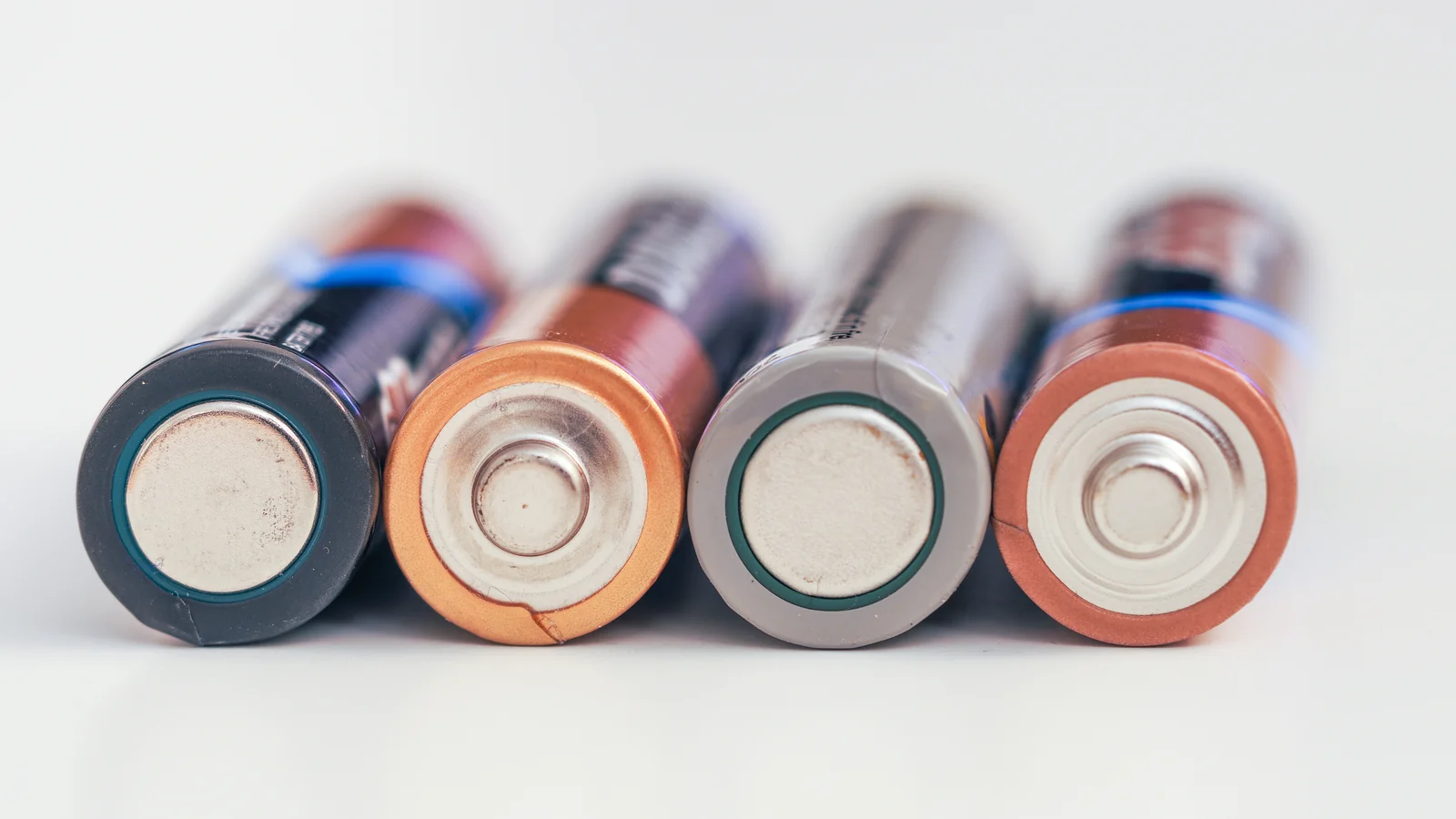
Fix 1: Put in the right batteries — fresh, matching, and name-brand
This is the fix in roughly half of all cases, which is why it comes first. Smart locks are picky about power in ways TV remotes aren’t. The rules are simple but people break them constantly:
- Replace all of them at once. Never mix old and new batteries, and never mix brands. A weak cell drags the whole set down, and the lock’s battery gauge reads the weakest link — which is why a single tired battery can trigger low-battery warnings on a “fresh” set.
- Use name-brand alkaline or lithium. Cheap off-brand cells often can’t hold voltage under the motor’s load spike. Standard alkalines last 6–8 months in a typical lock; disposable lithium cells (Energizer’s are the common reference) last 12–18 months and barely leak — at roughly $2.50–$4 per AA they cost more upfront but less per year.
- Be careful with rechargeables. Standard NiMH rechargeables run at 1.2V, not the 1.5V alkalines deliver — many locks read that as perpetually low battery and nag you with false warnings. Some manufacturers, August included, explicitly don’t recommend rechargeables for this reason. If you insist on rechargeables, 1.5V lithium rechargeables hold voltage properly — but know they tend to die suddenly, with no low-battery warning at all. For a lock, that trade is worse than it sounds.
- Check the date. Batteries lose charge sitting in a drawer. If the pack has been in your junk drawer since 2023, it’s not “new.”
If the drain started the day you changed batteries, stop here — this was it. Fresh, matching, quality cells solve it more often than all the other fixes combined.
Fix 2: Tame the Wi-Fi drain
Wi-Fi is the hungriest radio a smart lock can carry. The numbers tell the story: a Wi-Fi radio pulls roughly 80–100mA just listening, spikes to 150–300mA transmitting, and burns 50–80mA simply scanning for a network it can’t quite reach. Bluetooth Low Energy does the same jobs at 10–30mA. In practice, that means a lock on built-in Wi-Fi often lasts 3–6 months where the same lock on Bluetooth stretches toward a year.
And then there’s the signal problem, which is worse than the radio itself. A lock with a weak Wi-Fi signal doesn’t just sip power — it works overtime, constantly retrying the connection. If your router lives three rooms away behind plaster and brick, your lock is essentially running a marathon in the background, all day, every day.
- Check the signal first. Most lock apps show Wi-Fi signal strength somewhere in device settings. If it’s weak, move the router closer, clear the path of whatever sits between it and the door, or add a Wi-Fi extender near the entryway.
- Consider dropping built-in Wi-Fi entirely. Many locks (August is the classic example) let you run on Bluetooth and hand remote access to a plug-in bridge instead. The bridge does the power-hungry Wi-Fi work on wall power; the lock rests on low-energy Bluetooth. People who make this switch routinely report batteries lasting months longer.
- Shopping for a new lock? Prefer Bluetooth, Z-Wave, Zigbee, or Thread models over built-in Wi-Fi if battery life matters to you — the low-power protocols exist precisely for this. Our guide to whether smart locks work without Wi-Fi breaks down what you give up (and what you don’t) going that route.
Fix 3: Lengthen the auto-lock timer
Every lock cycle fires the motor, and the motor is the single biggest power draw in the lock. Now think about what a 30-second auto-lock timer does in a busy household: kids in and out, dog let out, groceries carried in armful by armful — the lock dutifully throws the bolt, then throws it again, then again. Dozens of extra cycles a day, each one eating battery.
The fix takes ten seconds. Open the lock’s app, find the auto-lock setting, and stretch the timer to 2–4 minutes — or switch auto-lock off entirely while you’re home and lock manually when you leave. Aqara’s own troubleshooting guidance flags this as one of the highest-impact changes you can make, and it costs nothing. If your drain tracks with household traffic — worse on weekends, fine when everyone’s at work — this is almost certainly your culprit.
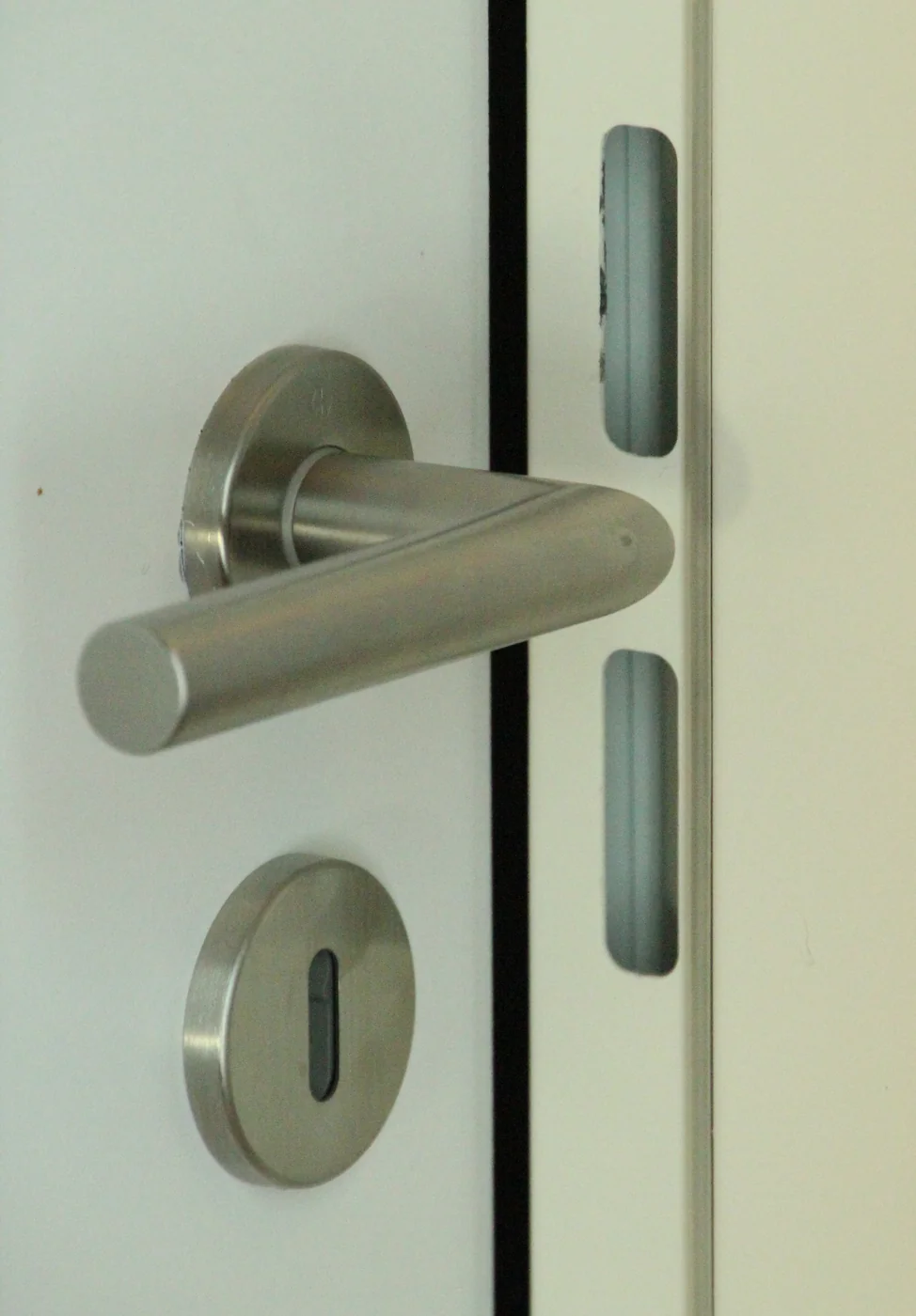
Fix 4: Realign the deadbolt
Here’s the mechanical one, and it’s more common than people think. The deadbolt has to slide cleanly into the strike plate on the door frame. If the door has sagged, swollen with humidity, or was never quite aligned, the bolt drags — and the little motor inside has to strain against that friction every single time it locks. A straining motor draws far more current than a free one. Do that a dozen times a day for months and your batteries don’t stand a chance.
Diagnose it in seconds: lock and unlock while listening. A healthy lock makes a clean, confident thunk. A struggling one grinds, strains, or takes noticeably longer — sometimes it fails to throw the bolt fully and tries again. You can also test with the door open: if the bolt extends smoothly with the door open but labors when closed, it’s alignment, not the lock.
- Adjust the strike plate. Loosen its screws, nudge it until the bolt slides in without touching the sides, and retighten. Sometimes that’s the entire job.
- Lubricate the bolt. A dry graphite or Teflon-based lubricant on the deadbolt — not oil, which gums up — reduces friction immediately.
- Check the door itself. Seasonal swelling is real, especially on wooden doors. If the problem appeared with humid weather, the door may settle back on its own — but don’t let the motor suffer meanwhile.
If you’re installing fresh or re-seating a lock, our smart lock installation walkthrough covers getting the alignment right from the start — the ten minutes it takes pays for itself in battery life.
Fix 5: Quiet the notifications
Every ping your phone gets is a radio transmission your lock paid for. Most locks ship with generous notification defaults — door locked, door unlocked, someone walked past, tamper alert armed — and on a busy entryway that can mean the radio rarely sleeps. High-sensitivity “pass-by” or activity alerts are the worst offenders: they keep the wireless radio constantly active for events you don’t actually care about.
Go through the notification settings and be ruthless. Keep the ones that protect you — low-battery warnings, tamper alarms, failed-attempt alerts. Turn off everything else, especially motion-adjacent and pass-by notifications. You won’t miss them, and your batteries will notice the difference within weeks.
Fix 6: Update the firmware
It’s the boring answer nobody wants, and it fixes a surprising number of mystery drains. Firmware updates don’t just add features — they patch the power-management bugs that keep radios awake or spin the motor harder than necessary. Aqara lists outdated firmware among the first things to check for fast battery drain, and most brands have shipped at least one update that quietly improved battery behavior.
Open the lock’s app, check for firmware updates, and install whatever’s pending. Do it while the lock still has decent charge — a firmware update on nearly-dead batteries can fail halfway and leave you with a bigger problem than you started with. If your drain appeared out of nowhere after months of normal life, with no weather change and no settings touched, suspect software first.
Fix 7: Winter-proof it with lithium
If your batteries were fine in October and dying by December, you don’t have a lock problem — you have a chemistry problem. Cold slows the chemical reactions inside batteries, dropping their voltage output. Alkalines suffer badly: a set that reads fine indoors can sag below the motor’s minimum voltage on a freezing morning, and the lock acts dead even though the batteries technically still hold charge.
Lithium disposable batteries handle cold far better, holding usable voltage well below freezing where alkalines give up. The standard advice from locksmiths and manufacturers alike: swap to lithium before winter arrives, not after the first lockout. It’s the cheapest seasonal insurance a smart lock owner can buy. And while you’re at it — cold also contracts metal at a different rate than the door around it, which can introduce exactly the deadbolt friction from Fix 4. If winter brought both sluggishness and drain, do both fixes.
Fix 8: Move the hub closer and calm the polling
This one’s for Z-Wave, Zigbee, and Thread locks — the ones that talk to a hub or bridge rather than your phone directly. The same weak-signal logic from Fix 2 applies: a lock straining to reach a distant hub burns power on retries. Keep the hub or bridge as close to the door as practical, and if your mesh network has a repeater, park it between the hub and the lock.
Also check how often your smart home platform polls the lock for status. Some integrations ask “are you locked?” every few minutes around the clock. Each poll wakes the radio. If your platform lets you adjust polling intervals — or better, switch to event-driven updates where the lock reports only when something changes — take it. And if you’re weighing a lock upgrade anyway, newer Thread-based locks (the kind our UWB and Aliro smart lock guide covers) are designed around low-power mesh from the start.
Fix 9: Accept that it might be the lock
Sometimes you’ve done everything right — fresh lithiums, strong signal, sane settings, clean alignment — and the batteries still die in days. At that point it’s not a settings problem. A lock that eats a fresh set in under a week, or one that’s warm to the touch around the battery compartment, likely has a hardware fault: a short, corroded terminals, or a dying radio. Check the battery compartment for corrosion or loose contacts and clean them gently, but don’t throw good money after bad.
Check your warranty first — most decent locks carry at least a year, some several. If it’s out of warranty and the hardware is genuinely failing, replacement beats another year of monthly battery swaps. When you shop, look for the traits this whole guide has been pointing at: low-power radio (Bluetooth/Z-Wave/Thread over built-in Wi-Fi), honest battery-life specs, and a brand with a track record of firmware support. Our renter-friendly smart lock picks are a good starting shortlist — several are chosen specifically for sane power management.
FAQ
How long should smart lock batteries last?
Six to twelve months on one set of batteries is normal for most smart locks. Alkaline cells typically deliver 6–8 months; disposable lithium cells stretch to 12–18 months. Bluetooth, Z-Wave, and Zigbee locks sit at the long end of that range; locks with built-in Wi-Fi sit at the short end, often 3–6 months. Anything under two months means something is actively wrong — work through the fixes above.
Why does my smart lock say low battery with new batteries?
Almost always a voltage mismatch. Standard rechargeable NiMH batteries deliver 1.2V versus 1.5V from alkalines, and many locks read that lower voltage as “low battery” even at full charge. Mixing old and new cells causes the same false warning — the gauge reads the weakest battery. Use fresh, matching, name-brand alkalines or lithium cells and the warning should clear.
Does Wi-Fi drain smart lock batteries faster?
Yes — substantially. A Wi-Fi radio draws roughly 80–300mA depending on what it’s doing, versus 10–30mA for Bluetooth Low Energy. A weak Wi-Fi signal makes it worse, forcing constant reconnection attempts. If battery life matters more than built-in remote access, run the lock on Bluetooth with a plug-in bridge handling the Wi-Fi side on wall power.
Can cold weather kill smart lock batteries?
Cold doesn’t kill them permanently, but it temporarily cripples them — low temperatures slow the chemical reactions inside batteries, dropping voltage below what the lock’s motor needs. Alkalines suffer most; lithium batteries hold up far better in freezing weather. If your drain is seasonal, switching to lithium before winter is the single most effective fix.
Can I use rechargeable batteries in my smart lock?
You can, but most manufacturers don’t recommend it. Standard NiMH rechargeables run at 1.2V and trigger false low-battery warnings; 1.5V lithium rechargeables hold voltage correctly but tend to die with no warning at all — risky for a lock. If you go rechargeable, check your lock maker’s guidance first, and keep a physical key handy regardless.
Why is my smart lock draining battery after a firmware update?
Occasionally a firmware update introduces a power-management regression — a radio that won’t sleep, or polling stuck at aggressive intervals. Check whether a newer update is already available (manufacturers often hotfix these quickly). If not, try the basics: restart the lock, re-check auto-lock and notification settings (updates sometimes reset them), and contact support if the drain persists — they track these reports.
Sources
- Aqara EU support: How to fix a smart lock battery keeps dying — lithium batteries, firmware, auto-lock timers, notification sensitivity, Wi-Fi signal
- Digital Trends: How to improve Yale Assure Lock 2 battery life — deadbolt/strike-plate friction, Wi-Fi router placement, Wi-Fi bridge, disabling auto-relock
- Sure Lock & Key: Why do smart locks drain battery so fast? — weak signal reconnection drain, battery quality, cold/heat effects
- eufy (official blog): Wi-Fi vs Bluetooth smart lock — Wi-Fi higher power consumption, Bluetooth energy efficiency
- Radio Hackers (Oct 2026): Battery life optimisation for IoT: Wi-Fi vs BLE vs Zigbee — Wi-Fi/BLE/Zigbee current-draw figures
- Blackview blog: How long can your smart door lock battery last? — 6–12 month typical range and the factors affecting it
- Alibaba SmartBuy buying guide: How to choose the best smart door lock battery — alkaline/lithium/NiMH lifespan and cost comparison
- Alibaba product insights: Why does my smart lock fail in cold weather — cold effects on battery chemistry, lithium recommendation, thermal contraction misalignment
We’ll update this guide as lock makers change their power behavior — firmware updates have quietly fixed (and occasionally caused) battery drain before.



3 Comments