SwitchBot RGBICWW Light Bars: $45.99 Matter Pair
SwitchBot RGBICWW Light Bars launched on September 28, 2026 — a pair of smart light bars for $45.99 that combine 12 independently controllable colour zones with genuinely useful tunable white light (2200K–6500K), and talk Matter over Wi-Fi with no SwitchBot hub required. If you’ve been eyeing RGBIC light bars but bounced off the price of the competition or the hub tax, this launch deserves your attention. Here’s everything SwitchBot has confirmed, how the bars stack up against Govee’s equivalent, and the one ecosystem fine-print worth reading before you buy.
This is launch coverage, not a hands-on review — no independent reviewer has tested a retail unit as of October 5, 2026. Every fact below is attributed to SwitchBot’s official launch announcement (PR Newswire, September 28, 2026), its official product page, or named press outlets, and where information is missing, we say so.
Key Takeaways
- Price and availability: $45.99 / £55.99 / CA$59.99 for the pair, available now via SwitchBot’s official website and Amazon. That’s meaningfully cheaper than Govee’s Matter-equipped equivalent.
- RGBIC + dedicated white: 12 independently controllable colour zones (six per bar), 16 million colours, 26 preset effects — plus dedicated cool-white and warm-white LEDs delivering up to 800 lumens of combined white light at 2200K–6500K. These double as real desk lighting, not just decoration.
- Matter over Wi-Fi, no hub: native Matter support means they join Apple Home, Alexa, Google Home, SmartThings, Home Assistant, and Homey without buying a SwitchBot hub — though you’ll still need a Matter controller (a hub of some brand) on your network.
- Music sync is built in: an onboard microphone powers six music-reactive effects, so no separate sensor puck is needed.
- The fine print: the wired controller’s power cable is only about 1.1 metres long, advanced features (zones, effects, music sync) are configured through the SwitchBot app rather than Matter, and SwitchBot’s own brightness figures carry a ±20% tolerance.
What SwitchBot just launched
On September 28, 2026, SwitchBot announced the SwitchBot RGBICWW Light Bars, a pair of ambient smart light bars aimed squarely at desks, gaming setups, and media rooms — but also at the everyday lighting those spaces need during work hours. It’s part of a noticeable push: SwitchBot has been expanding its Matter-certified lighting range aggressively in 2026 (an RGBICWW strip light, a floor lamp, and a ceiling light all share the same branding and Matter-over-Wi-Fi approach).
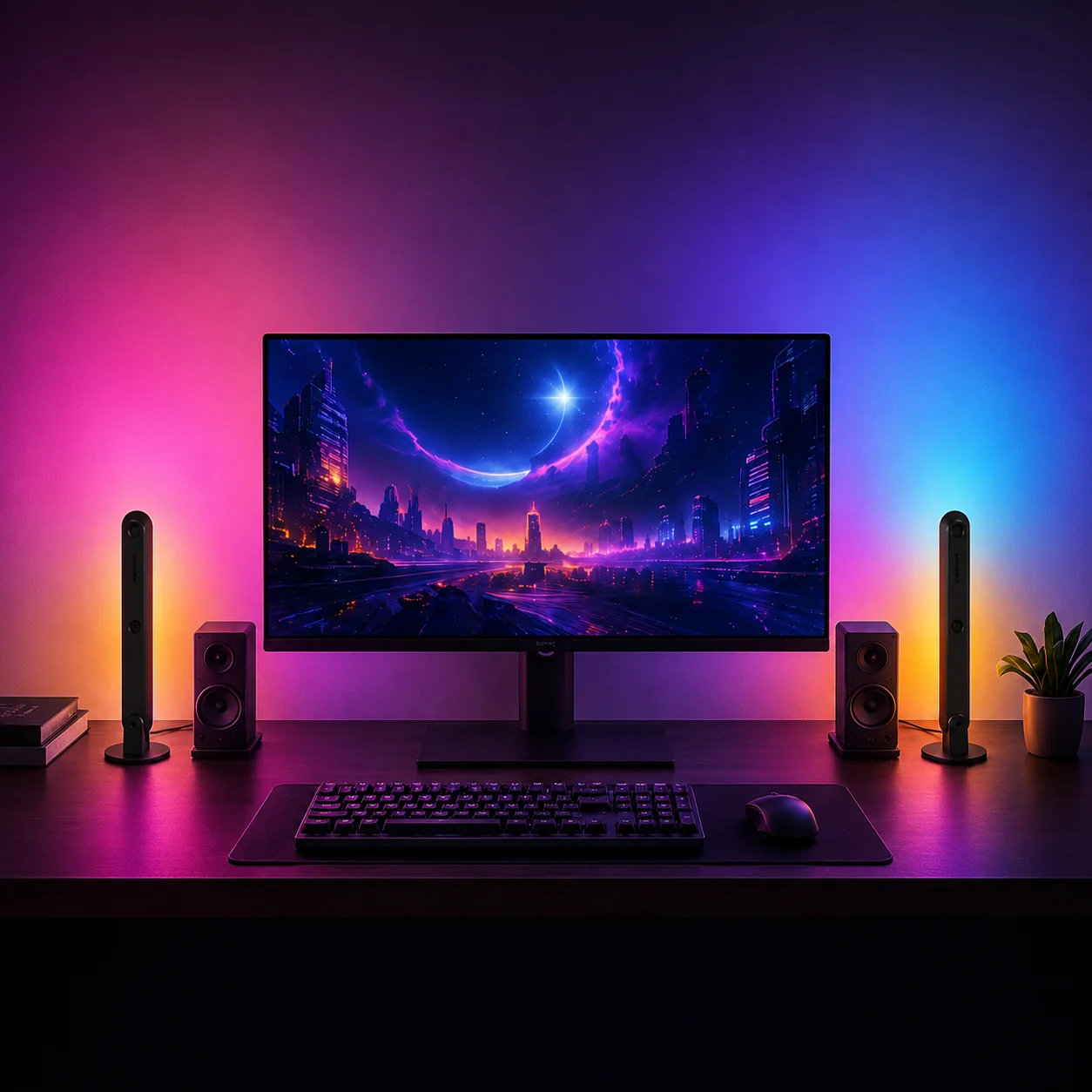
The pitch is “immersive color, everyday white light” — and that second half matters. Plenty of RGB light bars turn a wall into a mood board at night and then sit useless while you work. SwitchBot’s angle: dedicated cool-white and warm-white LEDs give you a lamp-grade desk light by day and party lighting by night, in the same two bars.
Why the “RGBICWW” part actually matters
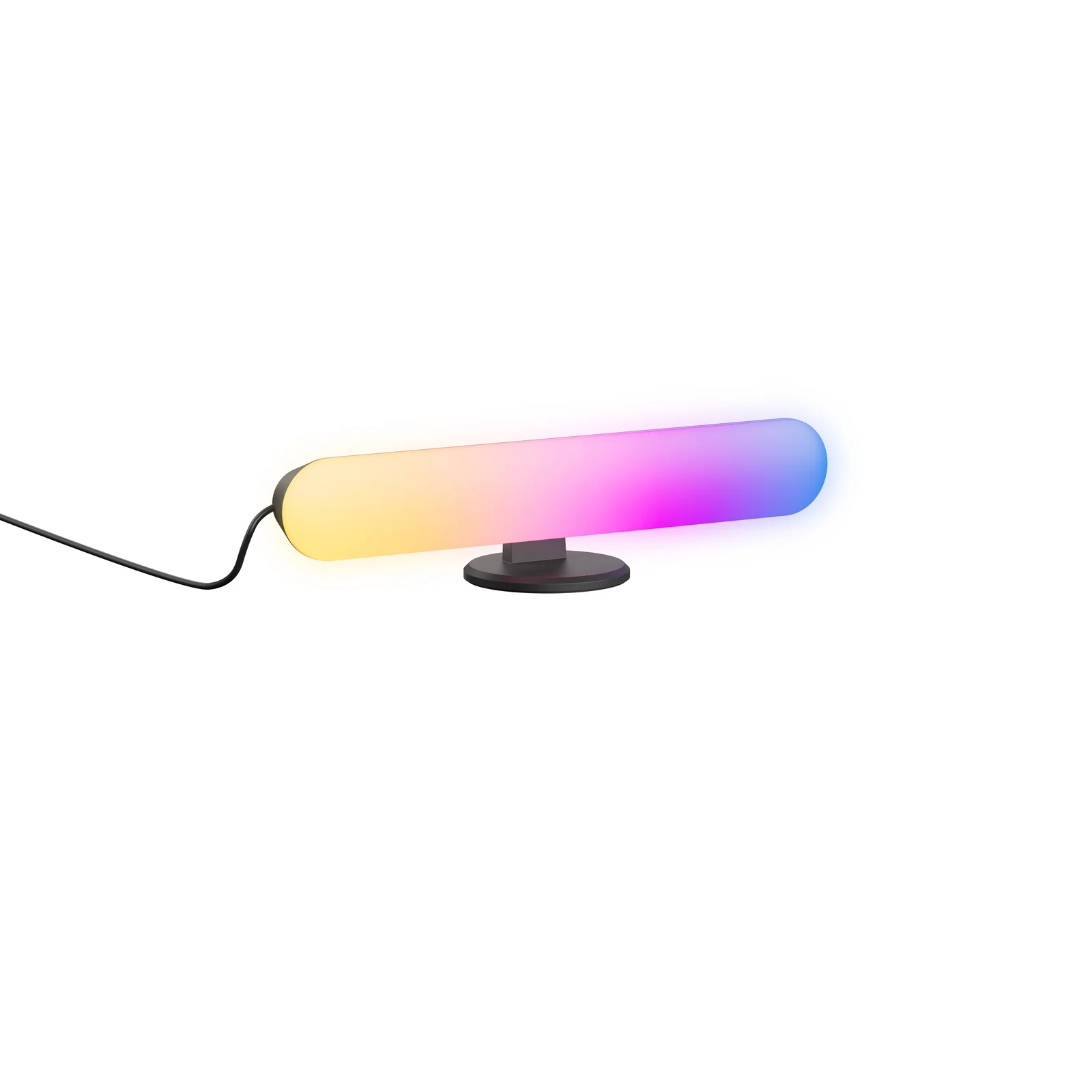
The acronym is worth decoding, because it’s doing real work here. RGBIC means each bar has individually controllable chips, so multiple colours can display simultaneously — layered gradients and wall washes instead of a single flat colour. The trailing CW + WW means dedicated cool-white and warm-white LEDs sit alongside the colour LEDs, rather than faking white by maxing out the RGB channels (which is how cheap colour lights produce that harsh, off-tint “white”).
- 12 colour zones across the pair (six chips per bar), each independently controllable via the SwitchBot app.
- 16 million colours and 26 preset dynamic effects covering gaming, movies, parties, and seasonal scenes.
- White light: 2200K (warm candlelight) to 6500K (daylight), smooth dimming from 1% to 100%, and up to 800 lumens combined across both bars. That’s in the ballpark of a solid LED desk lamp — genuinely usable, not decorative.
- Music sync without extra hardware: a built-in microphone drives six music-reactive effects — no external sensor box to buy or position.
What does “Matter over Wi-Fi, no hub” mean for you?
This is the headline feature for smart-home buyers, and it’s worth being precise about. The light bars speak native Matter over Wi-Fi, so you do not need to buy a SwitchBot Hub to connect them to your home. They pair directly with Apple Home, Alexa, Google Home, SmartThings, Home Assistant, and Homey, per SwitchBot’s announcement.
The wrinkle — common to every Matter device, not specific to SwitchBot: you still need a Matter controller on your network to add any Matter device to a platform. That’s a device you probably already own (an Apple TV 4K or HomePod, an Echo, a Nest Hub, a SmartThings hub), but it isn’t nothing. New to the standard? Our Matter explainer breaks it down, and our guide to whether Matter devices need a hub spells out the controller distinction in detail.
Also honest: Matter handles the basics — on/off, brightness, colour, temperature. The fun stuff (individual zone control, the 26 dynamic effects, music sync, schedules, automations) is configured through the SwitchBot app, per SwitchBot’s own footnotes. If you want everything in one ecosystem’s app, know that going in. A wired controller also ships in the box for quick adjustments without opening an app at all.
A quirky one: the bars can be AI-agent status lights
The oddest — and most forward-looking — detail in the launch is SwitchBot’s API pitch: you can link local or cloud-based AI agents to custom light cues. A breathing effect means the agent is thinking; flowing light means a task is in progress; different colours signal completion or an urgent alert. The idea is to follow your agent’s progress peripherally, without staring at a screen. It’s niche today, but it signals where SwitchBot thinks ambient lighting is going — and the API is documented, not a vague promise.
Mounting and what’s in the box
Placement is flexible: the bars attach magnetically to compatible metal surfaces, can be placed horizontally or vertically, and adhesive mounting is available for non-metal surfaces. In the box, per Matter Alpha’s launch coverage: desk stands, monitor mounts, power cable, controller cable, fixings, and 3M adhesive. Each bar measures 28 cm long by 4.5 cm wide; the pair weighs under 272 g. If you’re weighing bulbs against switches for renter-friendly lighting, compare smart bulbs vs smart switches.
One practical caution: the light-bar power cable is only about 1.1 metres long (controller cable ~1.2 m). That’s fine for a desk or a TV stand, but measure before planning a behind-the-sofa or wall-wash layout — you’ll need the adapter within reach of a socket.
Specs at a glance
Figures below come from SwitchBot’s official product page unless noted otherwise. The 800-lumen figure is from the launch announcement, which notes brightness measurements can vary by up to ±20%.
| Spec | SwitchBot RGBICWW Light Bars |
|---|---|
| Price | $45.99 / £55.99 / CA$59.99 (pair) |
| Launched | September 28, 2026 |
| Colour zones | 12 (6 per bar), independently controllable |
| Colours / effects | 16 million colours; 26 preset dynamic effects; 6 music-reactive effects |
| White light | Dedicated cool-white + warm-white LEDs; 2200K–6500K; 1–100% dimming; up to 800 lm combined |
| Music sync | Built-in microphone; no external sensor needed |
| Smart standard | Native Matter over Wi-Fi — no SwitchBot hub required (a Matter controller is still needed) |
| Platforms | Apple Home, Alexa, Google Home, SmartThings, Home Assistant, Homey |
| Mounting | Built-in magnets, adhesive option; horizontal or vertical; stands + monitor mounts included |
| Size / weight | 28 cm × 4.5 cm per bar; under 272 g for the pair |
| LEDs | 18 RGB + 19 warm-white + 19 cool-white (per official spec sheet) |
| Cables | Light-bar cable ~1.1 m; controller cable ~1.2 m |
| Power | 100–240V AC input; 24W rated (12V/2A) |
| Lifespan / warranty | 50,000-hour LED lifespan; 1-year warranty |
| Control | SwitchBot app (zones, effects, schedules, automations), voice, wired controller; API for AI-agent cues |
Disclosure: links to SwitchBot in this article are affiliate links — buying through them supports AbodeAlly at no extra cost to you.
Price, availability, and how to buy
The SwitchBot RGBICWW Light Bars are available now from SwitchBot’s official store and its Amazon store, at an MSRP of $45.99 / £55.99 / CA$59.99 for the pair.
Coupon: use code 10UPGHELITFRM8 at SwitchBot’s official store for 10% off. With the coupon, the US price drops to about $41.40 — making this one of the cheapest Matter-certified light-bar pairs we’ve seen. We’re tracking this and more in our Prime Big Deal Days smart-home deals roundup.
Buy the SwitchBot RGBICWW Light Bars at SwitchBot’s official store →
How do they compare with Govee’s light bars?
The natural rival is the Govee Flow Plus Light Bars (H6056) — also RGBICWW, also Matter-compatible, also with a built-in mic for music sync. Both target the same “desk glow + real white light” buyer. Here’s the honest comparison, with third-party figures attributed:
| SwitchBot RGBICWW Light Bars | Govee Flow Plus Light Bars (H6056) | |
|---|---|---|
| List price (pair) | $45.99 / £55.99 | $55 / £69.99 (per Govee’s official stores; a US deals writeup in late Sept 2026 showed it at $40 on Amazon) |
| Colour tech | RGBIC: 12 zones (6 per bar); 26 presets | RGBICWW: segmented colour; 60+ scene modes; AI “Lighting Bot 2.0” scene generation |
| White light | 2200K–6500K; up to 800 lm combined; 1–100% dimming | Tunable warm-to-cool white (exact lumen figure not highlighted in Govee’s marketing) |
| Music sync | Built-in mic, 6 reactive effects | Built-in mic, 8 music modes |
| Matter / hub | Native Matter over Wi-Fi, no SwitchBot hub | Matter + Alexa + Google + SmartThings; no hub required |
| Mounting | Magnetic, adhesive, stands, monitor mounts | Adhesive behind TV or included stands; lay flat or vertical |
| Standout extras | API for AI-agent status cues; wired controller in box | AI generative lighting effects; DreamView multi-device sync with other Govee products |
| Best for | Budget-first Matter buyers; anyone who wants a discount coupon at checkout | Existing Govee households; people who want AI-generated scenes and DreamView sync |
The shape of the market is clear: SwitchBot wins on list price and the checkout coupon; Govee counters with a richer scene library and its DreamView ecosystem if you already own Govee products. Neither has independent hands-on review coverage of a retail unit as of early October 2026 — both comparisons above are built from official specs and press coverage, not testing.
Who should buy them
- Matter households on a budget. At $45.99 a pair with no hub required, this is one of the cheapest on-ramps to Matter ambient lighting we’ve seen.
- Renters. Magnetic or adhesive mounting with no wiring changes — for more renter-safe lighting ideas, see our guide to smart bulbs for renters that need no hub.
- SwitchBot households. They coordinate with other SwitchBot lights in the app, and pair with Hub 3 for one-tap movie scenes across devices.
For seasonal displays, see Halloween smart home ideas.
Who should skip them
- Anyone far from a socket. The 1.1 m power cable and mains-only power (no battery) limit creative placement — these are desk/TV-bar products, not wireless accent lights.
- Buyers who want everything in one ecosystem app. Zone control, effects, and music sync live in the SwitchBot app; Matter only exposes the basics.
- Deep Govee households. If your desk already runs on Govee DreamView sync, switching brands buys you friction for modest savings.
What we still don’t know (honest gaps)
- No independent review exists yet. Nobody has published hands-on testing of a retail unit as of October 5, 2026 — real-world brightness, colour accuracy, app reliability, and Matter pairing smoothness are all unverified.
- Amazon listing details (exact US listing price, Prime availability, regional availability outside US/UK/CA) weren’t independently confirmed at publish time — prices may vary by region and retailer.
- SwitchBot hasn’t said whether the bars are sold individually or only as a pair.
- We haven’t confirmed whether the 10% coupon code stacks with any launch promotions on the SwitchBot store.
FAQ
Do the SwitchBot RGBICWW Light Bars need a SwitchBot hub?
No. They use native Matter over Wi-Fi, so no SwitchBot hub is required. You do need a Matter controller on your network (e.g. an Apple TV 4K, an Echo speaker, or a Nest hub) to add them to a smart-home platform — see our hub vs controller explainer for the distinction.
Are the SwitchBot light bars bright enough to use as a desk lamp?
On paper, yes. Dedicated cool-white and warm-white LEDs deliver up to 800 lumens combined across the pair, with 2200K–6500K tuning and 1–100% dimming — in the range of a decent LED desk lamp. Note SwitchBot’s own footnote: brightness measurements can vary by up to ±20%. No independent reviewer has measured a retail unit yet.
Do they work with Apple Home?
Yes — SwitchBot lists Apple Home, Alexa, Google Home, SmartThings, Home Assistant, and Homey as supported platforms. You’ll pair them via Matter, which requires a Matter controller such as an Apple TV 4K or HomePod.
Does music sync need a separate sensor?
No. The bars have a built-in microphone that powers six music-reactive effects. That’s an advantage over some competitors that require an external sound-sync box — and over Govee’s DreamView setups that sync via camera.
Where can I buy the SwitchBot RGBICWW Light Bars?
They’re available now from SwitchBot’s official store and the SwitchBot Amazon store, at $45.99 / £55.99 / CA$59.99 for the pair. Code 10UPGHELITFRM8 takes 10% off at the official store.
Sources
- SwitchBot launch announcement (PR Newswire, 2026-09-28): SwitchBot Launches RGBICWW Light Bars with Immersive Color, Everyday White Light, and Matter over Wi-Fi
- SwitchBot official product page: SwitchBot RGBICWW Light Bars
- The Ambient (2026-09-28): Switchbot’s new low-cost smart lights work with Matter
- Matter Alpha (2026-09-28): SwitchBot’s new RGB light bars support Matter over Wi-Fi — no hub required
- Govee official stores: Govee Flow Plus Light Bars (EU); Govee Flow Plus Light Bars (UK)
We’ll update this article when independent hands-on reviews of retail units appear and when we can confirm Amazon regional pricing and availability.

3 Comments