
Best Smart Bulbs for Renters (No Hub): 8 No-Hub Picks for 2026
Eight renter-friendly smart bulbs that work over Wi-Fi or Bluetooth — no hub, no wiring changes, and nothing to uninstall when you move out. Not sure bulbs are even the right choice? Start with our smart bulb vs smart switch guide. If part of the appeal is a lower power bill, see what smart lighting actually saves on your bill.
Published 28 September 2026 · Updated 28 September 2026
Disclosure: This article currently contains no affiliate links — nothing here earns us a commission. If that changes, we’ll say so.
Key Takeaways
- Every bulb here is hub-free: Wi-Fi or Bluetooth/Matter, no bridge to buy and nothing to pack at move-out.
- Best overall: LIFX Color A19 for colour quality; best value: WiZ Connected A19 at ~$10–13.
- Nanoleaf Essentials A19 is the only Matter-over-Thread pick — it needs a Thread border router (many Echo, Nest and HomePod devices already are one).
- Budget ~$8–35 per bulb; multi-packs from Kasa, Govee and WiZ cut the per-bulb cost sharply.
Quick list
- LIFX Color A19 — best overall: the colour-quality champ, hub-free over Wi-Fi.
- WiZ Connected A19 — best value: ~$10–13 with Matter and genuinely good light.
- Kasa KL125P2 — cheapest colour: a 2-pack for $14.99 that covers a whole room.
- Tapo L535E — best ecosystem value: one app for bulbs, plugs and cameras.
- Kasa KL135 — brightest budget bulb: 1000 lumens for living rooms and kitchens.
- Nanoleaf Essentials A19 — best Matter pick: Thread-based and future-proof (needs a border router).
- Govee A19 RGBWW — best for parties: music sync and 16M colours for ~$8.50 a bulb.
- WiZ Tunable White — cheapest quality white: $10.39 for hallways and closets.
Every bulb below is hub-free — no bridge, nothing to pack at move-out. Most connect directly to your Wi-Fi; one (the Nanoleaf Essentials) uses Matter over Thread and needs a Thread Border Router. Screw it in, open the app, done.
The 8 bulbs, compared
| LIFX Color A19 | Govee A19 RGBWW | Tapo L535E | Kasa KL135 | WiZ Connected A19 | WiZ Tunable White | Nanoleaf Essentials A19 | Kasa KL125P2 | |
|---|---|---|---|---|---|---|---|---|
| Typical price | ~$30–35 deal / $50 retail (1100 lm) / ~$17 per bulb (800 lm) | ~$8.50/bulb (2-pack $16.99) | ~$10–13 | ~$10/bulb (4-pack $39.99) | ~$10–13 | $10.39 | $19.99 | ~$7.50/bulb (2-pack $14.99) |
| Brightness | 1100 lm / 800 lm | 800 lm | 806 lm | 1000 lm | 806 lm | 806 lm (white only) | 806–1100 lm | 800 lm |
| Connection | Wi-Fi | Wi-Fi + Bluetooth | Wi-Fi | Wi-Fi | Wi-Fi | Wi-Fi | Matter over Thread | Wi-Fi |
| Matter support | Yes (LCM4 edition/fw v4 — check the box) | Check the box (batch-dependent — see Govee section) | Yes | No (app/voice only) | Yes | Yes | Yes | No |
| Voice | Alexa, Google, Siri/HomeKit | Alexa, Google | Alexa, Google | Alexa, Google | Alexa, Google, Apple Home (via Matter), Siri Shortcuts | Alexa, Google, Apple Home (via Matter) | Alexa, Google, Apple Home, SmartThings | Alexa, Google |
| Standout | Top-rated color + app | Music sync, huge review base | Tapo ecosystem value | Brightest budget bulb | SpaceSense motion via Wi-Fi | Cheapest quality white | True cross-platform Matter | Cheapest color, period |
Sources: Engadget — best smart LED bulbs 2026; Klarna — Wi-Fi bulb price comparison; OnOff.gr — 10 best smart LED bulbs 2026 (EU pricing cross-check).
LIFX Color A19 — best overall

~$30–35 on street deals / $50 retail (1100 lm) / ~$17 per bulb (800 lm)
LIFX has spent years going head-to-head with Philips Hue on color quality — and doing it with no bridge at all. The Color A19 connects straight to Wi-Fi, and review roundups consistently rank its color reproduction among the best of any hub-free bulb. It’s Matter-certified on current LCM4-edition models (firmware v4+), so it joins Apple Home, Google Home, Alexa, and SmartThings cleanly — but older v3 units can’t be upgraded, so check the box for the Matter logo before buying.
The app is widely rated one of the best in the category: room groups on the home screen, one-tap scenes, scheduling that doesn’t fight you. Engadget’s review of the field called it “the slickest we tested” — and since the app is how you interact with bulbs daily, that matters more than spec sheets suggest.
The catch: price. The 1100-lumen version runs ~$30–35 per bulb on street deals ($50 retail), so furnishing a whole apartment gets expensive fast. And LIFX’s ecosystem is shallow — bulbs and strips, not much else.
Verdict: if color quality is the point and you’re buying a few statement bulbs (living room, bedroom), LIFX is worth it. For whole-apartment coverage, mix LIFX feature bulbs with budget bulbs elsewhere.
WiZ Connected A19 — best value

~$10–13
WiZ is owned by Signify — the same company behind Philips Hue — positioned as the affordable line. The Connected A19 does 806 lumens and 16 million colors over plain Wi-Fi, no hub, with scheduling, voice control, and dimming that all work reliably. Current WiZ bulbs are also Matter-certified, so they can join Apple Home via Matter. The WiZ app comes with solid pre-built scenes, and a genuinely clever trick: SpaceSense, which uses Wi-Fi signal disturbance for motion detection with no extra hardware.
The catch: the WiZ app can’t match LIFX’s polish, and there’s no native HomeKit pairing — Apple Home works via Matter, not direct HomeKit. SpaceSense needs at least two WiZ lights in the same room. But for a ~$10 bulb that joins Apple Home cleanly via Matter, that’s easy to forgive.
Verdict: the rational default. Furnish an entire apartment for the price of two LIFX bulbs.
Kasa KL125P2 — cheapest color bulb

2-pack $14.99 (~$7.50/bulb)
TP-Link’s Kasa line is the budget floor for good color bulbs: 800 lumens, full color, dimmable, Alexa/Google compatible, 2.4 GHz Wi-Fi, no hub. At $7.50 a bulb, you can do an entire apartment for less than one LIFX.
The catch: no Matter, 800 lumens only (fine for lamps, dim for primary room lighting), and the Kasa app is functional rather than delightful.
Verdict: maximum bulbs per dollar. The “I just moved and need light now” pick.
Tapo L535E — best ecosystem value

~$10–13
Tapo is TP-Link’s newer smart-home line, and the L535E is its workhorse color bulb: 806 lumens, Wi-Fi-direct, Matter support, and deep integration with the Tapo ecosystem (cameras, plugs, sensors — all in one app). If you’re already buying Tapo gear, staying in-ecosystem keeps everything under one roof.
The catch: buy the L535E, not the L530E — the L530E looks nearly identical but does not support Matter, so check the model number on the box. Brightness is standard 806 lm, not class-leading.
Verdict: the best bulb to buy as part of a plan — one app for bulbs, plugs, and cameras.
Kasa KL135 — brightest budget bulb

4-pack $39.99 (~$10/bulb)
The KL135’s headline spec is 1000 lumens — meaningfully brighter than the 800-lumen budget crowd, enough to serve as primary room lighting rather than accent light. Full color, dimmable, Alexa/Google, no hub, 2.4 GHz Wi-Fi. If accent lighting is more your goal than room lighting, the SwitchBot RGBICWW Light Bars are a $45.99 Matter pair that needs no hub.
The catch: no Matter support; color accuracy is good-not-great next to LIFX.
Verdict: when you need actual light, not mood — living rooms, kitchens, home offices.
Nanoleaf Essentials A19 — best Matter pick
$19.99
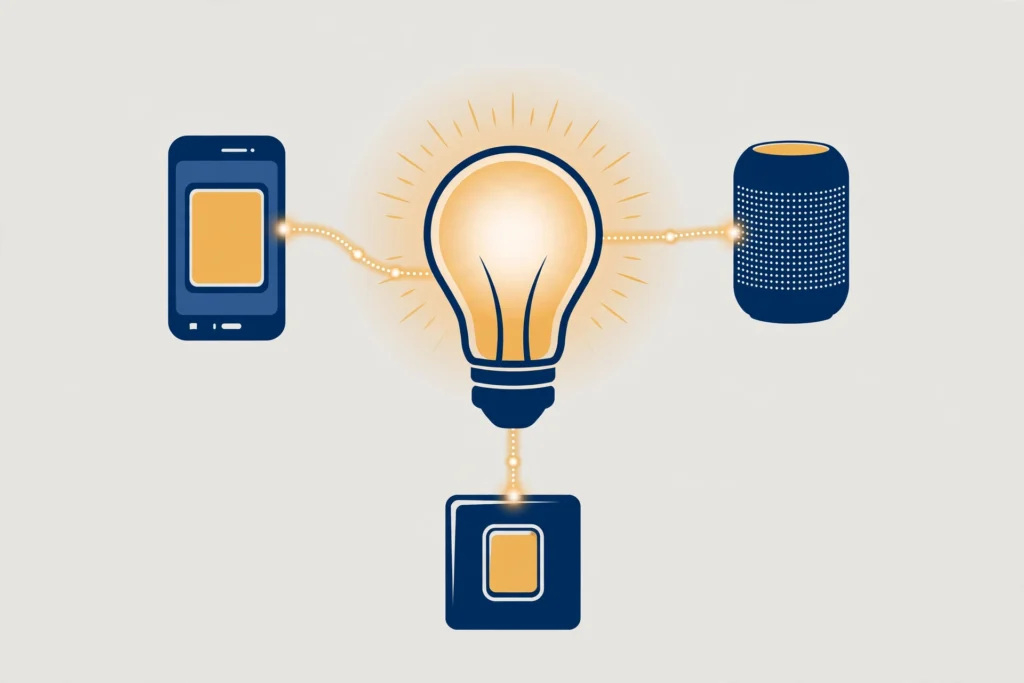
The Essentials A19 is the most future-proof bulb here: Matter over Thread, which means native, first-class support in Apple Home, Google Home, Alexa, and SmartThings with no workarounds and no vendor app required for basics. Thread’s mesh networking also means it sips power and responds fast.
The catch — read carefully: Thread is not Wi-Fi. You need a Thread Border Router in your home (a HomePod mini, Nest Hub 2nd gen, Echo 4th gen, or similar — see Do I need a hub for Matter devices?). Most renters already own one without knowing it, but if you don’t, this isn’t a “screw it in and go” purchase.
Verdict: the best bulb for Apple Home households and anyone building a Matter-first setup.
Govee A19 RGBWW — best for parties

2-pack $16.99 (~$8.50/bulb)
Govee’s superpower is fun-per-dollar: 800 lumens, 16 million colors, music sync (the bulb pulses with your audio), and a 4.6★ rating across 26,000+ Amazon reviews as of September 2026 — among the largest owner bases of any bulb here. Alexa/Google compatible. Matter note: support on the H6008/H600A is batch-dependent — Govee’s EU page claims Matter, but the Amazon storefront separates them, so check for the Matter logo on current US packaging before you buy.
The catch: the Govee app leans gimmicky, and color accuracy for white light (the RGBWW’s warm whites are decent, not LIFX-grade) trails the premium picks.
Verdict: bedrooms, gaming setups, and anyone whose lighting needs a “party mode.”
WiZ Tunable White — cheapest quality white

$10.39
Not every bulb needs to be a rainbow. The WiZ tunable white does one job — adjustable white light from warm to daylight — at the lowest price from a reputable brand. Hallways, closets, bathrooms, kitchens: places where color is wasted money. Current tunable-white models are Matter-certified per current listings, so they join Apple Home via Matter too.
Verdict: pair these with color bulbs in living spaces and cut your per-apartment cost by a third.
How to choose the right no-hub bulb for your rental
Start with connection type. Wi-Fi bulbs work with any router and are the simplest renter choice; Thread/Matter bulbs need a border router but give you cross-platform freedom. Bluetooth-only is fine for a single lamp, annoying for a whole flat.
Match brightness to the job. 800 lumens suits lamps and bedrooms; for a living room’s main light, look for 1000+ lumens like the Kasa KL135. Colour is fun, but if a bulb will mostly glow warm white, a tunable-white bulb costs half as much.
Weigh the app you’ll live in. You’ll open it daily, so check recent app-store ratings before committing to a brand — a cheap bulb with a crashing app is no bargain.
Finally, think in multi-packs. Outfitting a rental takes six to ten bulbs; two- and four-packs from Kasa, Govee and WiZ cut the per-bulb price to under $10 without giving up colour.
The router question: how many bulbs before Wi-Fi struggles?
Every Wi-Fi bulb below holds a persistent 2.4 GHz connection (the Nanoleaf Essentials is the exception — it uses Thread via a border router instead). Most bulbs are 2.4 GHz-only (it penetrates walls better than 5 GHz). So the honest question: when does a pile of bulbs congest your network?
The planning heuristic (drawn from renter-focused research, not a manufacturer spec): under about 10 bulbs, Wi-Fi-direct is the obviously right call — setup is trivial and no mainstream router breaks a sweat. Past roughly 15 bulbs on a single home network, things can get sluggish: slower app response, occasional “device offline” ghosts, automation delays.
But there is no universal fixed limit — anyone quoting one is guessing. Real capacity depends on:
- Your router’s client limit (cheap ISP routers cap out far sooner than a decent mesh system)
- Airtime congestion — bulbs are chatty; 20 bulbs plus phones, laptops, TVs, and cameras share the same 2.4 GHz airspace
- Signal quality — a bulb at the edge of Wi-Fi range retries repeatedly, consuming disproportionate airtime
- Multicast behavior — group commands (“turn off living room”) use multicast, which some routers handle badly at scale
The renter research method: add bulbs in batches of ~5. After each batch, open the app and toggle a room group — if response stays under ~2 seconds, you’re fine. If it degrades, your options are: upgrade the router (a mesh node near the bulbs helps enormously), move some devices to 5 GHz to free 2.4 GHz airtime, or switch future purchases to Thread/Matter bulbs (Nanoleaf Essentials), which take load off Wi-Fi entirely.
For a typical apartment (6–12 bulbs), this is a non-issue. It only bites in large homes or device-dense smart setups.
The wall-switch problem (all bulbs, all brands)
One rule governs every smart bulb: it needs constant power. Flip the wall switch off and the bulb disconnects — no app control, no schedules, no voice. Your options:
- Leave switches on and control everything via app/voice (simplest; train the household).
- Tape or guard the switch — switch guards cost ~$5 for a multi-pack and are fully renter-reversible.
- Add a wireless switch (e.g., a Tapo or SwitchBot button) next to the wall switch for tactile control without cutting power.
Scenario verdicts
- “I want the best-looking light.” → LIFX Color A19 (1100 lm). Hue-grade color, no bridge.
- “Furnish my whole apartment for under $100.” → WiZ Connected A19 or Kasa KL125P2 throughout; add one LIFX for the living room.
- “I’m an Apple Home household.” → Nanoleaf Essentials A19 (Matter/Thread), LIFX (Matter/Wi-Fi, current LCM4 models), or WiZ (Matter/Wi-Fi — the budget route).
- “I need bright primary lighting.” → Kasa KL135 (1000 lm) — the only budget bulb I’d light a kitchen with.
- “Gaming setup / parties.” → Govee A19 RGBWW — music sync wins.
- “Hallways and closets.” → WiZ Tunable White — don’t pay for color you’ll never use.
- “One app for everything.” → Tapo L535E — pairs with Tapo cameras, plugs, and sensors.
Your next step
- 5 No-Drill Smart Locks for Renters (2026): True Retrofits + One Replacement — Keep the renter-friendly upgrades going with locks that need no drilling.
- Do I Need a Hub for Matter Devices? (2026) — Work out whether your no-hub bulbs need any extra hardware at all.
- What Is Matter in Smart Home Tech? (2026 Explainer) — Understand the standard behind the newest hub-free bulbs.
- Halloween Smart Home Ideas: 9 Ways Your Existing Gear Becomes a Haunted House (2026) — turn your colour bulbs into a haunted house this October; see our Halloween smart-home guide.
Frequently asked questions
Do any of these bulbs need a hub?
No. Every bulb in this guide works without a hub or bridge. Seven connect over Wi-Fi or Bluetooth; the Nanoleaf Essentials A19 uses Matter over Thread and needs a Thread border router, which many Echo, Nest and HomePod devices already provide.
Can I mix brands in one home?
Yes. Use one app per brand, or unify them with Alexa, Google Home or Apple Home. Matter-certified bulbs (LIFX, WiZ, Tapo, Nanoleaf) can share a single Matter controller.
Will 20+ Wi-Fi bulbs slow my network?
On an older single-band router, possibly. Most modern dual-band routers handle 30+ low-bandwidth devices fine. If you go big, a Thread/Matter bulb like the Nanoleaf keeps traffic off Wi-Fi.
What happens to the bulbs when I move out?
Unscrew them and take them with you — that is the renter advantage. Reset each bulb in its app before you go so the next tenant cannot access them.
Do smart bulbs work if the internet goes down?
Bluetooth and local-network control keep working; remote access and voice assistants will not. Wi-Fi bulbs on the same network as your phone still respond in their apps.
Recent updates
- 28 September 2026 — Restructured with Key Takeaways, a numbered quick list and FAQ schema; re-verified prices and Matter support against manufacturer listings.
- September 2026 — First published.
Why you can trust AbodeAlly
AbodeAlly is a research-based buying guide, not a test lab. We don’t run a warehouse of gadgets or a lab bench, so we never invent hands-on test results.
Every pick starts with manufacturer specifications and standards documents, cross-checked against reputable expert reviews and long-term owner feedback. We re-verify specs and prices on a regular update cadence, and each article carries a dated changelog so you can see exactly what changed and when.
Spot an error or an out-of-date price? Tell us and we’ll fix it — corrections are published openly, not buried.

11 Comments