
Home Security Without a Subscription (2026): The Complete Guide
Yes — you can build a genuinely capable home security setup in 2026 without paying a monthly subscription. Local storage, smart alerts and no cloud fees. If you’re choosing between the two device types, our video doorbell vs security camera guide breaks down which one you actually need.
Published 28 September 2026 · Updated 28 September 2026
Disclosure: This article currently contains no affiliate links — nothing here earns us a commission. If that changes, we’ll say so.
The short answer: yes, $0/month home security is real

Yes — you can run a full home security camera setup in 2026 with zero monthly fees, but “no subscription” means very different things depending on the brand. Some cameras (Eufy, Reolink, Tapo) record everything locally with full features and never ask for a penny. Others (Arlo, Ring) technically work without a plan but lose their core job — recording — unless you pay or add specific hardware. The difference between those two categories is the entire buying decision, and this guide maps it brand by brand.
Start here: our Eufy vs Arlo without a subscription comparison runs the real three-year cost math if you want the numbers first.
Key Takeaways
- Every system here works with $0/month: local storage (microSD, hub or NVR) replaces the cloud.
- Eufy and Reolink lead for true no-subscription cameras; Arlo needs a hub add-on, Ring needs a plan.
- Video doorbells, locks and garage controllers all have solid no-fee options in 2026 — see the subscription-free doorbell pick.
- The trade-off: you manage storage and updates yourself — and theft of the hardware means loss of footage.
What “no subscription” really means in 2026
The phrase hides three completely different situations. Knowing which one you’re in saves you from buying the wrong system:
1. No subscription needed, ever. The camera records, detects people, and keeps video history using only the hardware you bought. Eufy’s HomeBase cameras, Reolink’s microSD/NVR cameras, and Tapo’s local-storage cameras live here. Nothing degrades if you never pay.
2. No subscription needed for core features, with paid extras available. Eufy again: everything works locally, but the company also sells an optional Cloud Backup add-on ($3.99/month for 1 device or $13.99/month for all devices, 30 days of history) for off-site copies. The subscription is a genuine extra, not a ransom.
3. Works without a subscription, but barely. Arlo and Ring cameras without a plan give you live view, motion alerts, and two-way talk — but no recordings at all. Miss a notification and the moment is gone forever. For Arlo, there’s a hardware escape hatch (the SmartHub, below). For Ring doorbells, there isn’t: no SD slot, no hub option — cloud or nothing.
Most buyer’s remorse in this category comes from confusing situation 3 with situation 1. If “no subscription” to you means the camera still records and detects people, only situations 1 and 2 qualify.
How local storage actually works (and the three systems you’ll meet)

“Local storage” isn’t one thing. There are three architectures, and each has different strengths and failure modes.
The hub model: Eufy HomeBase
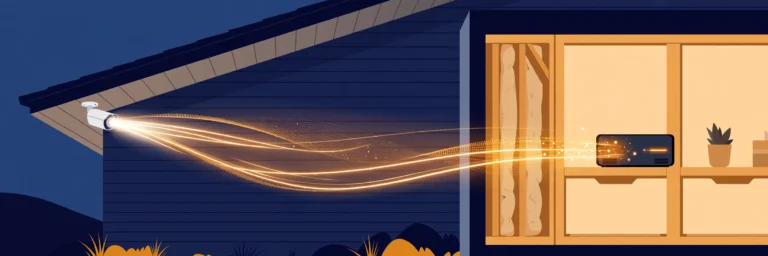
Eufy’s cameras pair with a HomeBase — a small base station that sits on your shelf, connects to your router, and stores every camera’s footage on its built-in drive. HomeBase 3 ships with 16GB built in (roughly 90 days of clips for a single 4K camera, per Eufy’s own figures) and can be expanded with a hard drive up to 16TB — enough, by Eufy’s math, for well over a year of multi-camera 4K footage.
Why it matters: the hub is also the brains. Person, vehicle, and pet detection run on-device, so AI features work with no plan. Activity zones, video history, and remote viewing through the app all work at $0/year. Our model-by-model breakdown runs the real storage math per camera, and the Eufy subscription guide covers every model — note that the eufyCam E330 needs a HomeBase 3 to operate (only the SoloCam line is truly standalone), a detail some listings get wrong.
eufy’s newest doorbell, the S4, keeps the no-subscription promise: it’s now on sale — see our eufy S4 overview for full specs and no-subscription details.
The risk, honestly stated: the HomeBase is a single box in your home. If it’s stolen along with the cameras, the footage goes with it — unless you’ve added Eufy’s optional Cloud Backup.
The optional hub model: Arlo SmartHub
Arlo’s default is cloud-first: without a plan, most Arlo cameras give you live view and basic motion alerts but record nothing. The escape hatch is the SmartHub (VMB4540 ~$99.99 / VMB5000 $149.99) plus your own USB drive, which enables subscription-free local recording. This has worked since December 2024, including for the Video Doorbell 2nd Gen, which older guides still describe as “cloud-only.”
Two honest caveats. First, local recordings viewed remotely go through your hub: it works via the app while the hub is online, but owner reports describe it as flakier than cloud playback, sometimes needing network tweaks. Second, you lose the cloud-only intelligence — person and package detection, activity zones, and emergency response (a Smart Secure-tier feature) stay behind the paywall. Our Arlo-without-a-subscription guide maps exactly what each model keeps and loses, including the Arlo Go 2, which records to in-camera microSD only and cannot pair with a SmartHub at all.
The in-camera model: microSD (Reolink, Tapo, Wyze)
The simplest architecture: a microSD slot in the camera itself. Reolink, Tapo, and Wyze cameras record motion events (and often 24/7 continuous footage) straight to the card — no hub, no plan. Reolink goes further with NVR kits for multi-camera local recording on your own hardware.
The trade-off is physical: the storage lives inside the camera. If someone steals the camera, they steal the evidence. Cards also fill and overwrite on a loop, so retention is days-to-weeks depending on card size and activity — fine for “what happened last night,” less fine for “what happened last month.” And the smartest features (package detection, long cloud history) usually still sit behind each brand’s optional plan.
For eufy specifics, see eufy local storage retention.
Brand-by-brand: what you actually get for $0/month
| Eufy | Arlo | Ring | Reolink | Wyze | Tapo | |
|---|---|---|---|---|---|---|
| Subscription required for recording? | No | Yes — unless you add a SmartHub + USB | Yes — Ring Solo plan; no local option on doorbells | No | No for basic recording (microSD) | No (microSD) |
| Local storage path | HomeBase (16GB built in, expandable to 16TB); SoloCam microSD | SmartHub VMB4540/VMB5000 + USB drive (~$99.99 hub) | ❌ None on doorbells — no SD slot | microSD in-camera; NVR kits | microSD in-camera | microSD in-camera |
| AI detection without a plan | Yes — person, vehicle, pet on-device | No — basic motion alerts only | No — basic motion only | Yes — person/vehicle/pet detection free on all current smart cameras, no plan (free Rich Notifications capped at 25/day on some series) | Basic; smarter detection behind plan | Varies by model |
| Video history without a plan | Yes — local, months on HomeBase | Only with SmartHub + USB | None — live view only | Yes — card/NVR loop | Yes — card loop | Yes — card loop |
| Remote viewing without a plan | Yes, via app | Yes via hub (can be flaky) | Yes — live view only | Yes, via app | Yes, via app | Yes, via app |
| Optional cloud add-on | Cloud Backup ($3.99/mo 1-device, $13.99/mo Plus, 30-day history) | Arlo Smart Aware / Smart Secure / Ultra Secure (rebranded Sept 15, 2026; prices unchanged) | Ring Solo $4.99/mo ($49.99/yr) and up | Cloud plans available | Cam Plus plans | Tapo Care plans |
| Honest $0/month verdict | The real deal — full system, no fees | Genuinely workable with the hub; crippled without it | A live peephole, not a security system | Strong budget local-first pick | Cheapest hardware; expect to want the plan | Solid budget pick, especially doorbells |
The pattern is stark: Eufy and Reolink sell you a security system; Arlo and Ring sell you hardware for a subscription service, with Arlo offering a legitimate (if clunky) local-storage exit and Ring offering none at all on its doorbells.
For eufy’s storage math in detail, see how long eufy local storage lasts.
The three-year math nobody shows you
Hardware prices are the distraction; the plan is the product. Take one doorbell over three years:
- Eufy E340 (~$149.99): $149.99 total. Records everything locally, AI detection included, $0/year after purchase.
- Ring Battery Doorbell 2K ($99.99) + Ring Solo ($49.99/yr): $99.99 + $149.97 = ~$249.96. Without the plan it records nothing — so the plan isn’t optional in practice.
- Arlo Video Doorbell 2nd Gen (~$129.99) + SmartHub (~$99.99) + USB drive: ~$250–270 once, $0/year after. Cheaper than three years of Arlo Smart Aware, but you’re maintaining your own storage.
The subscription brands win on entry price and lose on total cost within 18–36 months. That’s the entire economics of this category in one paragraph. For the full model-by-model breakdown, see Eufy vs Arlo without a subscription and Is Arlo Secure worth it? (note: Arlo rebranded all plan tiers on Sept 15, 2026 — Smart Aware / Smart Secure / Ultra Secure; prices unchanged).
Arlo’s 3-year totals deserve their own page — see is Arlo Secure worth it.
Going subscription-free: the honest trade-offs

Local storage isn’t strictly better — it’s a different set of risks. Anyone telling you otherwise is selling you something.
Theft is the big one. Local footage lives on hardware inside your home. If a burglar takes the camera (microSD models) or the hub (HomeBase/SmartHub), the evidence of the burglary leaves with them. Cloud storage exists precisely to solve this: the footage is already off-site before anyone touches the hardware. Eufy’s optional Cloud Backup and the brands’ cloud plans are, at their core, theft insurance for your footage.
No off-site backup by default. Related to the above: fire, flood, or a dead drive takes local history with it. Subscriptions buy you somebody else’s redundant servers. If your footage matters for insurance or legal reasons, weigh this seriously.
You’re the IT department. Firmware updates, full drives, a hub that drops off the network at 2am — with local storage, that’s your problem. Cloud plans outsource it.
Dumber detection. The clever stuff — package detection, familiar-face alerts, video search — overwhelmingly lives in the cloud, because it needs server-grade compute. Local AI (Eufy’s on-device detection is the best of the bunch) covers person/vehicle/pet well, but it won’t tell you which person.
The privacy win is real, though. Footage that never leaves your home can’t be breached from a vendor’s servers, subpoenaed in bulk, or used to train someone’s model. For many buyers this is the entire point — and it’s a genuine advantage no subscription plan can offer.
Our take: subscription-free is the right call for most homes if you pick a brand from column 1 or 2 of the table above (true local-first), and you accept the theft caveat — ideally mitigated with a cheap cloud-backup add-on or by hiding the hub somewhere non-obvious. What doesn’t make sense is buying a cloud-first camera and running it plan-free: you’re paying hardware prices for a fraction of a product.
For a security reality check, see what hackers broke at Pwn2Own 2026.
Which system should you actually buy?
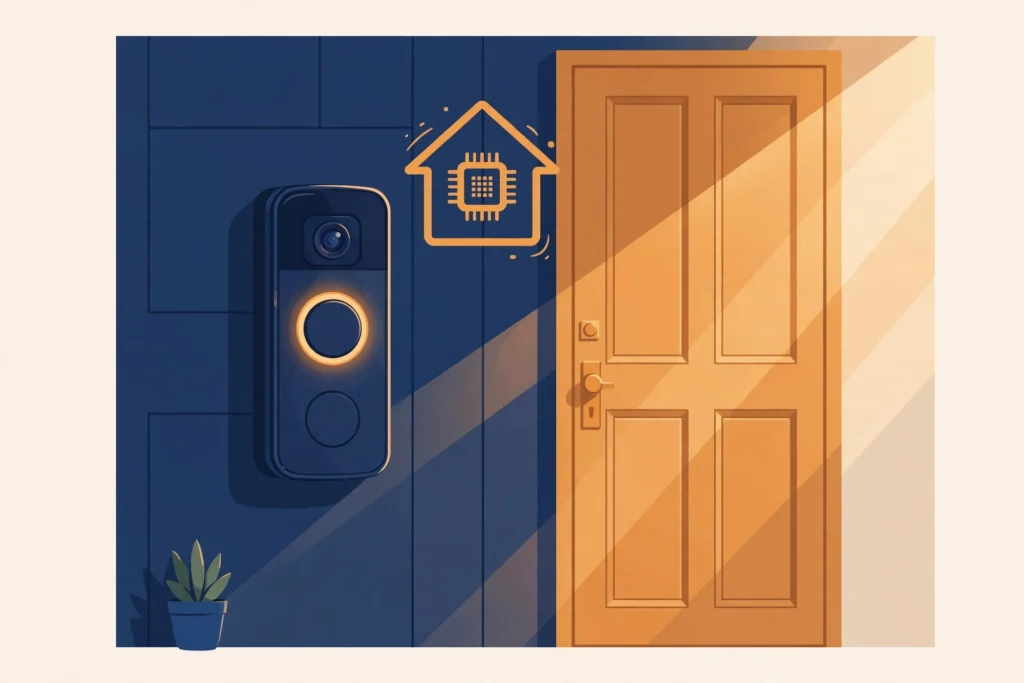
“I never want to pay a monthly fee.” → Eufy (HomeBase system) or Reolink. Both record everything locally with no plan, and Eufy’s on-device AI is the closest local storage gets to cloud-grade detection. Start with how long Eufy local storage lasts to size your storage, then the Eufy subscription guide to pick the right models.
“I want the cheapest good hardware and might subscribe later.” → Arlo Essential 2K (~$99.99/camera). Just go in with eyes open: without a plan it records nothing, so budget either the SmartHub (~$99.99 + USB) or the monthly plan from day one. Does Arlo work without a subscription? maps every model’s exact limits.
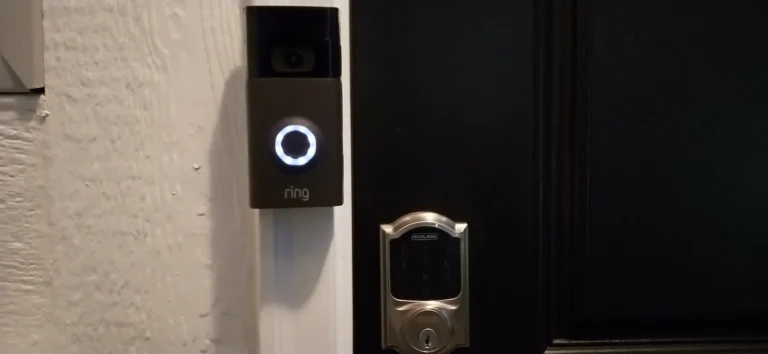
“I’m deep in the Alexa / Amazon ecosystem.” → Ring, but treat the plan as mandatory. A Ring doorbell without a Ring plan is a live peephole with no memory — our Ring guide shows exactly what breaks. The three-year plan cost will exceed the hardware, so compare honestly against Eufy before committing.
“I want the absolute cheapest workable setup.” → Tapo or Wyze with microSD cards. Totally viable for “what happened last night” coverage; expect shorter retention and dumber detection than Eufy. Verify current street prices at publish — the Wyze Cam v4 sits around ~$45 and Tapo’s D230S1 doorbell kit around ~$119.99 at major retailers, with frequent deals below that.
“I’m an Apple Home household.” → Arlo has the edge — select Arlo models support Apple Home (no HomeKit Secure Video verified on any Arlo source, so don’t count on encrypted iCloud+ camera storage). Most current Eufy cameras don’t list HomeKit support — but Eufy’s new Edge 5.0 range (unveiled Sept 26, 2026) brings Apple Home compatibility to select models, including the TrackLight Cam S1 and Video Doorbell S4.
Renters specifically: battery-powered models from any of these brands avoid wiring entirely. For doorbells, note that Ring’s Battery Doorbell 2K ($99.99) has a built-in battery — the whole unit comes off the mount to charge — while the Battery Doorbell 2K Plus ($179.99) has the quick-release pack (Micro-USB cable included). Our no-wiring doorbell install guide covers the options, and the Ring vs Nest battery-life comparison runs the real-world battery data (note: Ring publishes no official battery-life figure; owners report ~2–3 months depending on activity).
Sources
- eufy.com — HomeBase 3 (S380) specifications and Cloud Backup pricing
- arlo.com — Arlo Secure plan tiers (Smart Aware / Smart Secure / Ultra Secure) and SmartHub VMB4540/VMB5000 local storage
- ring.com — Ring plan pricing and doorbell specifications
- reolink.com — local storage and on-device AI detection specifications
- Google Nest support — doorbell battery charging thresholds and cold-weather behavior
Keep reading: the no-subscription cluster
- Eufy vs Arlo Without a Subscription: Which Is Actually Cheaper? — the full three-year cost comparison
- Do Eufy Cameras Require a Subscription? (Every Model, 2026) — model-by-model Eufy guide
- How Long Does Eufy Local Storage Actually Last? (By Model) — real storage math per camera
- Does Arlo Work Without a Subscription? — every Arlo model’s plan-free limits
- Is Arlo Secure Worth It? (True 3-Year Cost) — when the plan actually makes sense
- Eufy vs Arlo Video Doorbell (2026) — the doorbell head-to-head
- Can You Use a Ring Doorbell Without a Subscription? — exactly what breaks
- Battery Life Compared (Specs + Independent Tests) (2026) — real-world battery data
- How to Install a Video Doorbell Without Existing Wiring — renter-friendly installs
And for the model-by-model answer on the most-asked brand, see do eufy cameras require a subscription.
Your next step
- Eufy vs Arlo Without a Subscription: Which Is Actually Cheaper in 2026? — The head-to-head: which brand is actually cheaper.
- Does Arlo Work Without a Subscription? (2026) — Arlo in depth: what works without paying.
- Do Eufy Cameras Require a Subscription? (Every Model, 2026) — Eufy in depth: every model’s subscription status.
Late-2026 update: the 2026 consensus — and the one gap nobody advertises
Roundups converged in 2026 on a clear pecking order, and it matches this page’s verdicts. Eufy’s HomeBase 3 leads the genuinely $0 category: 16GB built in, expandable to 16TB, on-device AI detection, no monthly fee. Abode has the fullest free tier for alarm owners — full app control, automations, and smart-home integration without paying. Ring Alarm still self-monitors for free, but since March 2024 its cellular backup, professional monitoring, and Alarm Assist need a plan; the free tier is alerts, not a safety net. SimpliSafe without a plan is the thinnest free tier of the group — app control itself is gated — so if you will not pay, do not buy SimpliSafe for self-monitoring.
The gap nobody advertises is cellular backup. The HomeBase 3 ships no cellular connection: it depends on Wi-Fi plus battery backup. Cut the internet and a $0 eufy system cannot call out. That is the real thing a subscription buys across every brand — not recording, which local storage already solves, but a second path out of the house when the first one dies. For most homes that is an acceptable trade. For a home that is empty for weeks at a time, it is the reason to pay for monitoring.
Frequently asked questions
Can I view local-storage footage when I’m away from home?
Yes — that is the point of the hub. Eufy and Reolink let you stream from local storage via their app when you are away, as long as the hub has internet. No subscription needed.
What happens if someone steals my camera or hub?
You lose the footage stored on it. This is the main trade-off of local storage. Hide the hub indoors, choose cameras with both card and hub storage, or accept the risk.
Does local storage keep working if my internet goes down?
Recording continues locally, but remote viewing and smart alerts stop until the internet returns. The footage already captured stays safe on the device.
Do I still need Wi-Fi for all of this?
Yes, for setup, app access and smart features. But recording itself does not need the cloud — that is the whole idea of going subscription-free.
Why do Arlo and Ring charge for what Eufy gives away?
Different business models. Arlo and Ring monetize cloud storage; Eufy sells you the hardware (hub) upfront and skips the monthly fee. You pay more for the gear, less over time.
Which no-fee system has cellular backup?
None of the truly $0 options. Eufy ships no cellular at all. Ring gates it behind a paid plan, and Abode offers it through its paid Connect plan. Cellular backup is the one feature that still reliably costs money — if it is non-negotiable for you, budget for a plan.
Can I get professional monitoring without a monthly fee?
No — dispatch is the paid service everywhere. The $0 tier is self-monitoring: you get the alert, you decide what to do. Monitoring means someone else calls police or fire for you, and no brand gives that away.
Is eufy really $0 forever?
For recording, AI detection, and history, yes. The only paid extra eufy sells is the optional Cloud Backup add-on for off-site copies. No plan is required, no feature is held back, and no trial expires into a paywall.
Recent updates
- 28 September 2026 — Restructured with Key Takeaways and FAQ schema; re-verified $0/month claims against current brand offerings.
- September 2026 — First published.
Why you can trust AbodeAlly
AbodeAlly is a research-based buying guide, not a test lab. We don’t run a warehouse of gadgets or a lab bench, so we never invent hands-on test results.
Every pick starts with manufacturer specifications and standards documents, cross-checked against reputable expert reviews and long-term owner feedback. We re-verify specs and prices on a regular update cadence, and each article carries a dated changelog so you can see exactly what changed and when.
Spot an error or an out-of-date price? Tell us and we’ll fix it — corrections are published openly, not buried.



20 Comments